anselmdk/silverstripe-iconfont-picker
Composer 安装命令:
composer require anselmdk/silverstripe-iconfont-picker
包简介
generic icon font picker based on peavers/silverstripe-font-awesome
关键字:
README 文档
README
...adjusted to work with any icon font.
Configuration example
$iconPickerField = IconFontPickerField::create('CustomIconClass', 'Icon');
$iconPickerField->setCustomFontURI('mysite/thirdparty/icofont-custom/css/icofont.css');
$iconPickerField->setCustomFontBaseClass('icofont');
$iconPickerField->setAvailableIcons($this->config()->available_icons);
$iconPickerField->setUseFontAwesome(false);
Initial Readme
Synopsis
Provides a field to easily pick font-awesome icons
Features
- Easily pick icons to be used anywhere in the frontend
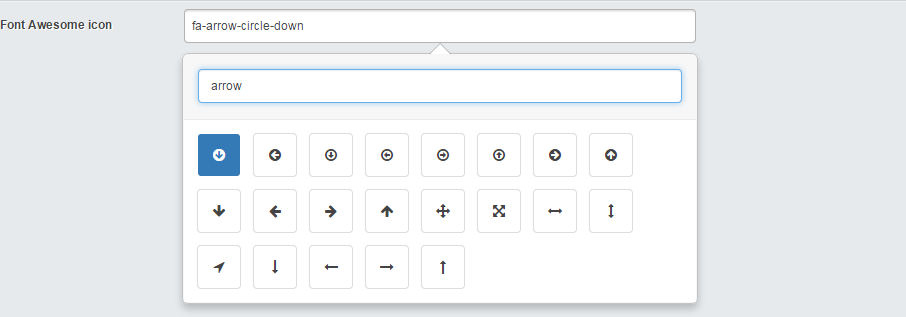
- Can filter on icon name
Installation
Composer
Make sure you're not double loading the css/fonts with a theme.
Ideally composer will be used to install this module.
composer require "moe/font-awesome:@stable"
Screen shots
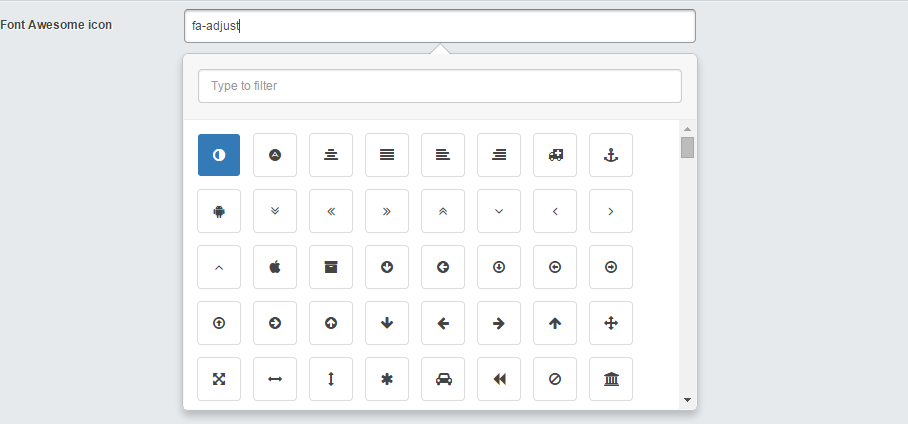
Font awesome icon view
Filter view
Usage
A basic working example, and the following to any class you want the field on;
    private static $db = array(
        'Icon' => 'Varchar(255)',
    );

    public function getCMSFields()
    {
        $fields = parent::getCMSFields();

        $fields->addFieldsToTab('Root.Main', array(
           FontAwesomeField::create("Icon", "Font Awesome icon")
        ));

        return $fields;
    }
Then simple include in the template where you want the icon placed
<i class="fa $Icon"></i>
The controller extension should make sure you've got access to the icons so you don't need to double up the CSS file.
Want colours instead of icons?
Got you covered, checkout color-swabs!
Libraries used/modified
- Font Awesome Icon Picker 4.5
统计信息
- 总下载量: 60
- 月度下载量: 0
- 日度下载量: 0
- 收藏数: 1
- 点击次数: 1
- 依赖项目数: 0
- 推荐数: 0
其他信息
- 授权协议: BSD-3-Clause
- 更新时间: 2016-07-13