bukwild/craft-netlify-deploy-status
Composer 安装命令:
composer require bukwild/craft-netlify-deploy-status
包简介
Craft plugin that shows Netlify deploy statuses
README 文档
README
Craft plugin that shows Netlify deploy statuses
Requirements
This plugin requires Craft CMS 3 or 4.
Installation
To install the plugin, follow these instructions.
-
Open your terminal and go to your Craft project:
cd /path/to/project -
Then tell Composer to load the plugin:
composer require bukwild/craft-netlify-deploy-status -
In the Control Panel, go to Settings → Plugins and click the “Install” button for Craft Netlify Deploy Status.
Adding Webhooks
-
Create a new incoming webhook in /admin/craft-netlify-deploy-status
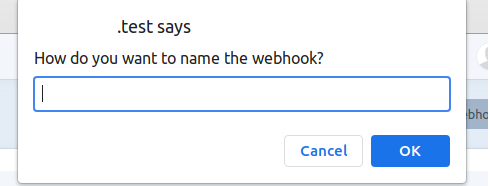
-
Copy Webhook Url
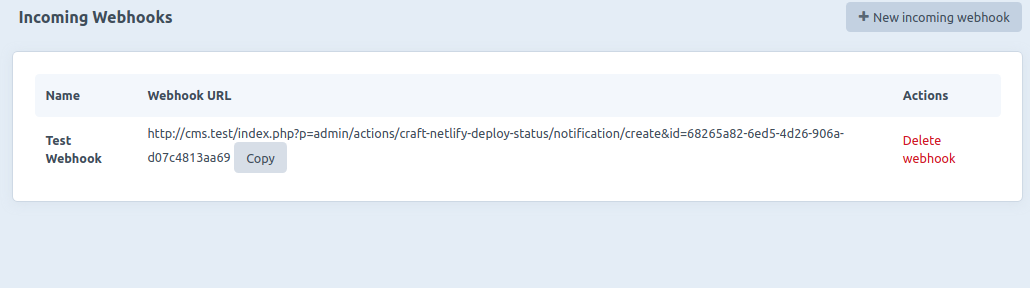
-
In Netlify, go to Site Settings -> Build & Deploy -> Deploy Notifications, click on Add notification and select Outgoing Webhook
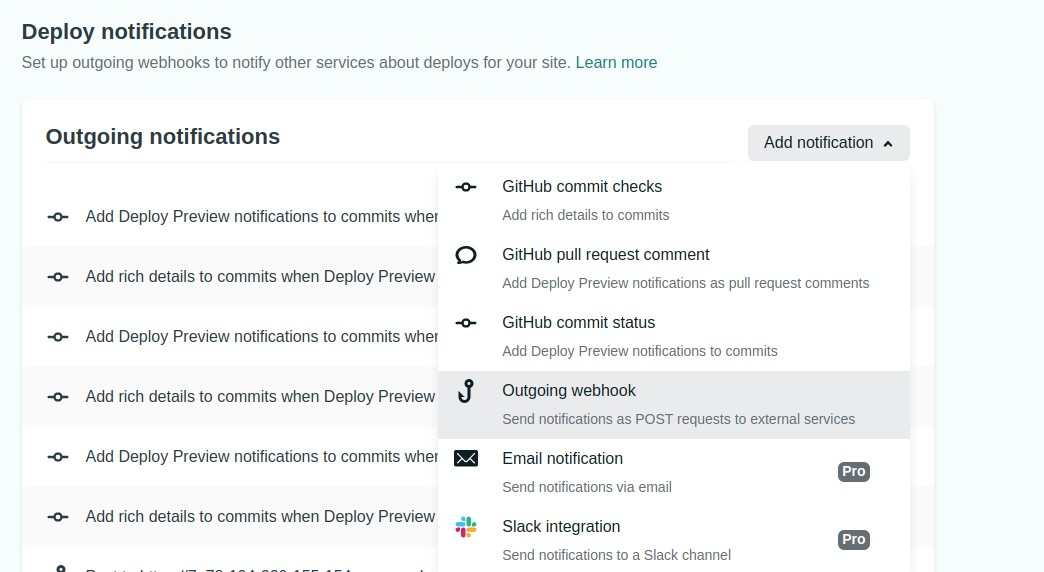
-
Paste the Webhook URL in the URL to notify field and select an event to listen for and click Save. NOTE: use the same Webhook URL for all the events in a single project you want to get notifications from. One Webhook URL per Netlify project.
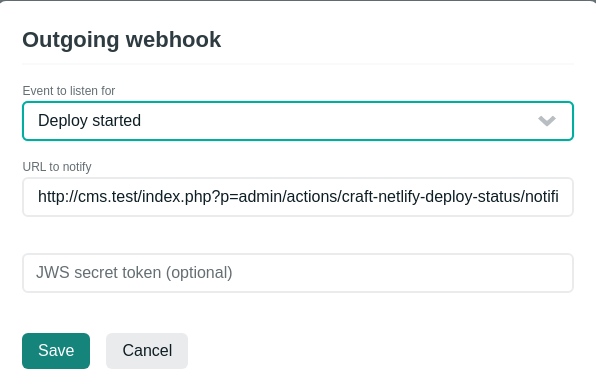
-
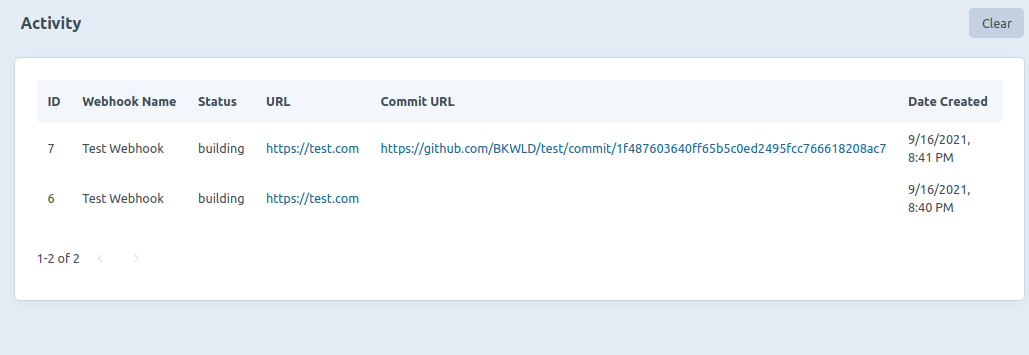
To test the webhook, try deploying a site or making a commit to the site. (If redeploying the site there will be no Commit URL)


- Release it
Brought to you by Bukwild
统计信息
- 总下载量: 56
- 月度下载量: 0
- 日度下载量: 0
- 收藏数: 2
- 点击次数: 0
- 依赖项目数: 0
- 推荐数: 0
其他信息
- 授权协议: MIT
- 更新时间: 2021-09-17