jasminecms/jasmine
Composer 安装命令:
composer require jasminecms/jasmine
包简介
A Laravel based CMS.
README 文档
README
A Laravel based CMS inspired by Voyager.
Screenshots
Login
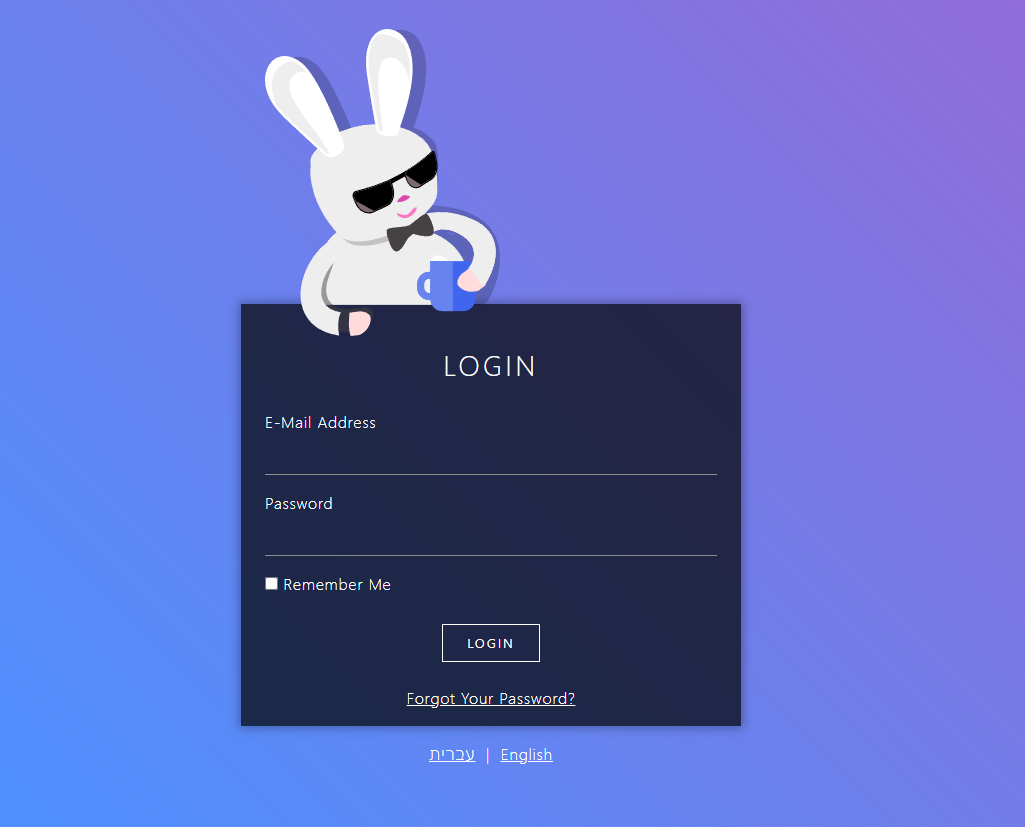
Bread index

Bread Edit

Requirements
- PHP >= 8.4
- Laravel >= 13
Note
Jasmine uses alexusmai/laravel-file-manager
If you are using it already or planning to,
you might need to tweak some configurations to prevent conflicts.
Installation
Require JasmineCMS in your new or existing laravel app
composer require jasminecms/jasmine
Publish the config file (optional, to customize routes and other options)
php artisan vendor:publish --tag=jasmine-config
Link jasmine public assets to your public folder
php artisan jasmine:link-public-assets
Migrate the database (be sure to make any changes to the default laravel migration prior)
php artisan migrate
Create a user (1st user is super admin)
php artisan jasmine:create-user
You can now log in to Jasmine,
Navigate to /jasmine
And login
Routes
Unlike previous versions, Jasmine now registers its web and api routes automatically.
No need to add anything to your route files.
You can control registration, prefixes and middleware via the config file:
'routes' => [
    'web' => [
        'register'   => true,
        'prefix'     => 'jasmine',
        'middleware' => ['web'],
    ],
    'api' => [
        'register'   => true,
        'prefix'     => 'jasmine/api',
        'middleware' => ['api'],
    ],
],
Set register to false if you prefer to register the routes yourself using
Jasmine::routes() and Jasmine::apiRoutes().
API documentation
When api routes are registered, Jasmine generates an OpenAPI specification for all
jasmine.api.* routes using Scramble:
- Interactive docs UI:
/{api-prefix}/docs - OpenAPI JSON spec:
/{api-prefix}/api.json
The docs are only visible to authenticated Jasmine users.
Registering assets
You can register Jasmine assets in your AppServiceProvider.
Locales (content)
Jasmine supports multilingual content, define your content languages like so
Jasmine::registerLocales(['en', 'he']);
Interface locale
Jasmine's interface language files are simple JSON files.
To add or override an interface locale, place a {locale}.json file in:
lang/vendor/jasmine/ui/he.json
Jasmine will automatically pick up any locale files in that directory, alongside its built-in locales. To get started quickly, publish the built-in locale files and edit or copy them:
php artisan vendor:publish --tag=jasmine-locales-ui
Breadables
Breadables can be any model
In your model implement
Jasmine\Jasmine\Bread\BreadableInterface
use trait Jasmine\Jasmine\Bread\Breadable
if the model has multilingual columns, also use trait
Jasmine\Jasmine\Bread\Translatable;
implement missing methods
then register your model in AppServiceProvider
Jasmine::registerBreadable(\App\Models\MyModel::class);

// optionally control the sidebar menu item
Jasmine::registerBreadable(\App\Models\MyModel::class, addMenuItem: false);
Jasmine::registerBreadable(\App\Models\MyModel::class, menuPriority: 10);
Registering a breadable automatically registers its permissions
(browse, read, edit, add, delete) and, unless disabled, a sidebar menu item
that is hidden from users lacking the browse permission.
Pages
Pages are very similar to models, but function as a single entity instead of a table
Register your pages in AppServiceProvider
Jasmine::registerPage(\App\Pages\Home::class);

// optionally control the sidebar menu item
Jasmine::registerPage(\App\Pages\Home::class, addMenuItem: false);
Jasmine::registerPage(\App\Pages\Home::class, menuPriority: 10);
Registering a page automatically registers its permissions (read, edit, add)
and, unless disabled, a submenu item under the "pages" sidebar menu that is hidden
from users lacking the read permission.
Custom assets
If for some reason you wish to load custom javascript or css you can do it like so
Jasmine::registerCustomStyle('https://example.com/path/to/style.css');
Jasmine::registerCustomScript('https://example.com/path/to/app.js');
Paths should be absolute URLs (prefer https).
Permissions
Permissions are simple dot-notated string keys:
Jasmine::registerPermission('reports.sales.view');
Jasmine::registerPermission('reports.sales.export');
Registered permissions are automatically rendered in the role edit screen as grouped switches — each dot segment becomes a group.
Breadables and pages register their own permissions automatically
(models.{key}.{browse|read|edit|add|delete} and pages.{slug}.{read|edit|add}).
You can check permissions on a user with $user->jCan('models.post.edit').
SideBarMenuItems
You can add items to the sidebar menu like so
// internal
\Jasmine::registerSideBarMenuItem('settings', fn() => [
    'title'    => __('Settings'),
    'icon'     => 'bi-gear',
    'href'     => route('jasmine.my.route', 'my-param-value'),
    'is-route' => ['r' => 'jasmine.my.route', 'p' => ['my-param' => 'my-param-value']],
], 70);

// external
\Jasmine::registerSideBarMenuItem('site-triple', fn() => [
    'href'   => 'https://triple.co.il',
    'title'  => 'Triple',
    'icon'   => 'bi-link-45deg text-danger',
    'target' => '_blank',
], 100);
Items accept: title, href, target, icon, class, hidden, is-route.
The third argument is the item's priority (lower = higher in the menu, default 50).
Items with hidden => true (or no href) are not rendered — handy for permission checks:
\Jasmine::registerSideBarMenuItem('settings', fn() => [
    'title'  => __('Settings'),
    'href'   => route('jasmine.my.route'),
    'hidden' => !auth()->user()->jCan('settings.edit'),
]);
Submenu items
You can nest items under a parent menu item:
// the parent — only needs a title and icon
\Jasmine::registerSideBarMenuItem('reports', fn() => [
    'title'  => __('Reports'),
    'icon'   => 'bi-graph-up',
    'opened' => false, // whether the group starts expanded
], 60);

// children
\Jasmine::registerSideBarSubMenuItem('reports', 'sales', fn() => [
    'title'    => __('Sales'),
    'href'     => route('jasmine.my.reports', 'sales'),
    'is-route' => ['r' => 'jasmine.my.reports', 'p' => ['report' => 'sales']],
], 10);

\Jasmine::registerSideBarSubMenuItem('reports', 'traffic', fn() => [
    'title' => __('Traffic'),
    'href'  => route('jasmine.my.reports', 'traffic'),
], 20);
Registration order doesn't matter — submenu items are merged into their parent lazily,
so you can register children before the parent (or from different service providers).
A parent with no visible children is not rendered.
Jasmine ships with a few built-in parent items you can attach submenu items to:
pages (priority 30), jasmine (55) and tools (60).
Dashboard cards
Dashboard cards let you add widgets to the Jasmine dashboard.
A card is either a blade card (server rendered HTML) or a vue card
(a Vue SFC rendered client side).
use Jasmine\Jasmine\Dashboard\DashboardCard;

// blade card
Jasmine::registerDashboardCard('welcome', DashboardCard::blade(
    fn($request) => view('dashboard.welcome', ['user' => $request->user()])
)->width(6)->priority(10));

// vue card, SFC as a string
Jasmine::registerDashboardCard('stats', DashboardCard::vue(
    <<<'VUE'
    <script setup>
    defineProps({ count: Number })
    </script>
    <template>
        <div class="card"><div class="card-body">{{ count }} posts</div></div>
    </template>
    VUE,
    props: fn($request) => ['count' => \App\Models\Post::count()],
)->width(4));

// vue card from a file
Jasmine::registerDashboardCard('orders', DashboardCard::vueFile(
    resource_path('js/jasmine-cards/Orders.vue'),
    props: fn($request) => ['recent' => \App\Models\Order::latest()->limit(5)->get()],
));
Card options
->width(int)— grid width in columns, 1–12 (cards are always full width on mobile). Default4.->priority(int)— display order, lower comes first. Default50.
Card actions
Cards can expose server side actions, callable from the card's frontend:
Jasmine::registerDashboardCard('cache', DashboardCard::blade(fn() => view('dashboard.cache'))
    ->get('status', fn($request) => ['size' => Cache::size()])
    ->post('clear', fn($request) => Cache::flush())
);
->get($name, $handler)— read-only action (cacheable, no CSRF token)->post($name, $handler)— mutating action->action($name, $handler, $method)— any ofGET,POST,PUT,DELETE
Route groups
You can register your own route groups inside Jasmine's route scope — useful both for
packages extending Jasmine and for app specific admin routes.
Groups are registered in one of three scopes:
// routes behind Jasmine authentication (admin panel routes)
Jasmine::registerAuthenticatedRouteGroup(function () {
    Route::get('my-reports/{report}', MyReportController::class)->name('jasmine.my.reports');
});

// stateless api routes
Jasmine::registerApiRouteGroup(function () {
    Route::get('my-endpoint', MyApiController::class)->name('jasmine.api.my-endpoint');
});

// guest routes (no authentication)
Jasmine::registerGuestRouteGroup(function () {
    Route::get('public-status', PublicStatusController::class);
});
Groups can optionally be named, which allows replacing or removing them
(registering the same id twice throws a LogicException):
Jasmine::registerAuthenticatedRouteGroup($closure, 'my-plugin');

// later, e.g. in an app overriding a plugin's routes
Jasmine::unregisterAuthenticatedRouteGroup('my-plugin');
Jasmine::registerAuthenticatedRouteGroup($otherClosure, 'my-plugin');
unregisterApiRouteGroup(), unregisterGuestRouteGroup() and resetRouteGroups()
are also available.
Oauth2 SSO
You can register oauth2 providers to enable sso login to jasmine
Facebook example
Jasmine::registerOauth2Sso(
    'Facebook', //name
    'https://www.facebook.com/images/fb_icon_325x325.png', //icon
    '{client_id}',
    '{client_secret}',
    'https://www.facebook.com/v3.3/dialog/oauth',
    'https://graph.facebook.com/v3.3/oauth/access_token',
    ['email'],
    false, // accepts boolean or callback
    function ($token) {
        $token = json_decode($token, true);

        $res = Http::asJson()->get('https://graph.facebook.com/v3.3/me', [
            'access_token' => $token['access_token'],
            'fields'       => 'name,email',
        ]);

        return [
            'name'  => $res->json('name'),
            'email' => $res->json('email'),
        ];
    },
);
jasminecms/jasmine 适用场景与选型建议
jasminecms/jasmine 是一款 基于 PHP 开发的 Composer 扩展包,目前已累计 15.02k 次下载、GitHub Stars 达 6, 最近一次更新时间为 2020 年 04 月 30 日, 在 PHP 生态内属于活跃度较高的组件。
我们在过去多个企业项目中使用过 jasminecms/jasmine 或与其功能相近的方案,如果你在选型或落地过程中遇到问题,例如 版本兼容、二次改造、私有化封装、与内部系统对接、生产 BUG 排查,欢迎联系我们协助评估。
基于 jasminecms/jasmine 在你已有业务上做功能扩展、字段裁剪、UI 适配、与内部账号 / 权限 / 日志系统的深度对接。
线上偶发问题、内存泄漏、慢查询、并发异常等排查修复;针对高流量场景做缓存、队列、索引层面的调优。
承接完整的项目从需求 → 设计 → 开发 → 上线 → 长期运维;也可按月提供技术保姆服务。
统计信息
- 总下载量: 15.02k
- 月度下载量: 0
- 日度下载量: 0
- 收藏数: 6
- 点击次数: 13
- 依赖项目数: 4
- 推荐数: 0
其他信息
- 授权协议: MIT
- 更新时间: 2020-04-30