loonatx/laravel-bi-10
Composer 安装命令:
composer require loonatx/laravel-bi-10
包简介
A beautiful and fully-featured Business Intelligence dashboard manager for Laravel
README 文档
README
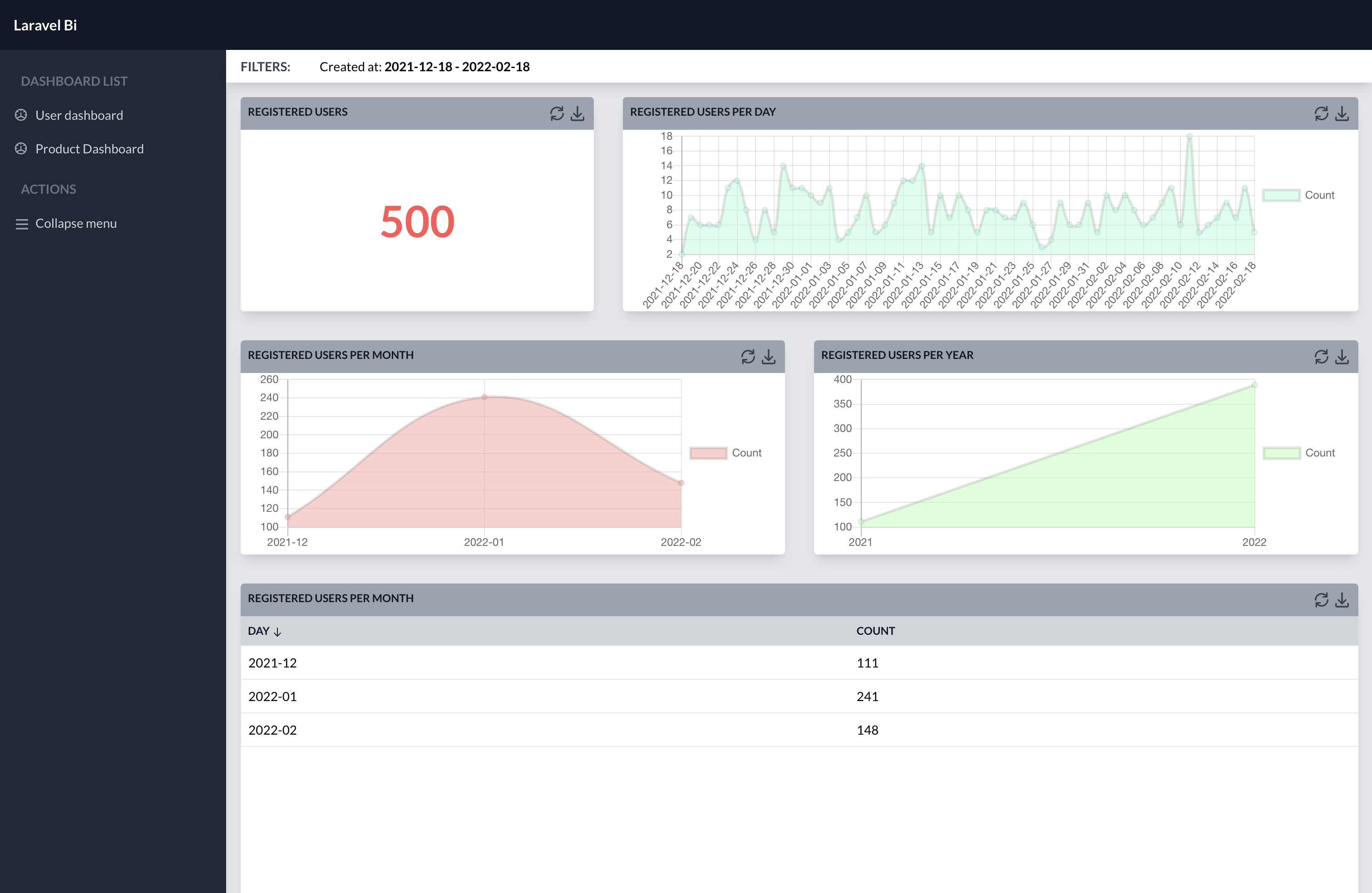
Laravel Bi is a beautiful and fully-featured Business Intelligence dashboard manager for Laravel.
Installation
Install Laravel Bi using composer:
composer require laravel-bi/laravel-bi
and then run
php artisan bi:install
to setup all Laravel Bi components and to create a simple UserDashboard.
Updating
Run this artisan command to update assets:
php artisan vendor:publish --tag=bi-assets --force
Requirements
Laravel BI v1.0.0 requires Laravel 8.0. If you have a previous Laravel version, please consider to use v0.0.5.
User Authentication
Laravel BI requires users to be logged. If your application does not have a custom authentication process, I suggest you to install Laravel Breeze.
Add new dashboards
You can add new dashboard to your project using this command
php artisan bi:dashboard FooDashboard --model=FooModel
Main features and concept
Laravel Bi uses dashboards to show data to the users. Each dashboard contains widgets. Each widget presents data to your user using different tool. Each widget's metrics and dimensions are fully customizable.
At the moment, Laravel BI works only with mysql databases.
Attributes
Attributes are common representation of Dimension and Metric. You can instantiate Attribute using create static method. It accepts 2 parameters:
- key: a mandatory internal identifier
- name: a mandatory label
StringDimension::create('name', 'The Name');
SumMetric::create('unique_name_for_some_of_prices', 'The Sum');
Some extra methods are available:
column($columnName)to set a custom database column name (defaulted to key)color($color)to set a custom color for the attribute (it will be used in charts)
You can chain all these methods:
SumMetric::create('unique_name_for_some_of_prices', 'The Sum')
    ->column('price_column')
    ->color('#FF0000');
Dimensions
Dimensions are attributes of your data. Laravel-Bi is shipped with some preconfigured dimensions:
StringDimension
It represents a string column. No transformation or logic are applied. It comes to your widget as it is saved in your database.
YearDimension
It represents a year. It applies a DATE_FORMAT clause to your database query in order to take only year digits. Its default format is %Y (e.g. 2019).
MonthDimension
It represents a month. It applies a DATE_FORMAT clause to your database query in order to take only year and month digits. Its default format is %Y-%m (e.g. 2019-01).
DayDimension
It represents a day. It applies a DATE_FORMAT clause to your database query in order to take only year, month and day digits. Its default format is %Y-%m-%d (e.g. 2019-01-15).
DateDimension
It represents a date. It allows to set a custom DATE_FORMAT clause using format() method.
It has a one custom method:
format($format)to set a custom DATE_FORMAT format.
DateDimension::create('year_week', 'Year Week')
    ->format('%Y-%u');
BelongsToDimension
It represents a string value taken from a BelongsTo relationship. It comes from a JOIN clause in order to use it in filters or in sorting.
It has a two custom methods:
relation($relationName)to set a eloquent relation nameotherColumn($columnName)to set the related object column
BelongsToDimension::create('product_name', 'Product')
    ->relation('product')
    ->otherColumn('name');
RawDimension
It represents a raw dimension you can edit as you want using raw method.
It has a one custom method:
raw($rawClause)to set a custom raw clause
DateDimension::create('initial_of_name', 'Initial')
    ->raw('LEFT(name, 1)');
Create your Custom dimensions
You can easily use them in your widgets or create your custom dimensions. Please take a look to the existing dimensions.
Metrics
Metrics are quantitative measurements. Each metric show absolute values. If you need to show percentage of the total, you can use asPercentage() method
Laravel-Bi is shipped with some preconfigured metrics:
CountMetric
It is a simple metric that count number of records. This is not related to a particular column.
SumMetric
It sums a particular column values.
AverageMetric
It calculate average of a particular column values.
RawMetric
It represents a raw metric you can edit as you want using raw method.
It has a one custom method:
raw($rawClause)to set a custom raw clause
DateDimension::create('discounted_price', 'Discounted Price')
    ->raw('price * 0.9');
Custom metrics
You can easily use them in your widgets or create your custom dimensions. Please take a look to the existing metrics.
Widgets
Widgets are graphical representation of your data that use Dimensions and Metrics to gather information. You can instantiate Widgets using create static method. It accept 2 parameters:
- key: a mandatory internal identifier
- name: a mandatory label
BigNumber::create('order_number', 'Orders')
You can attach attributes to a widget using:
dimensions($dimensions)to set an array of dimensionsdimension($dimension)to set a single dimensionmetrics($metrics)to set an array of metricsmetric($metric)to set a single metric
Table::create('table', 'Table')
    ->dimension([
        BelongsToDimension::create('product', 'Product')
            ->relation('product')
            ->otherColumn('name');
    ])
    ->metrics([
        SumMetric::create('price', 'Revenues')
    ]);
Some extra methods are available:
width($widthClass)to set a custom width (it should be a Tailwind CSSw-class)scope($closuer)to set a particular scope for a widget
You can chain all these methods:
BigNumber::create('order_number_with_price_greater_than_10', 'Big Orders')
    ->width('w-1/2')
    ->scope(function(Builder $builder) {
        return $builder->where('price', '>', 10);
    });
Laravel-Bi is shipped with some preconfigured widgets:
BigNumber
It shows a particular and relevant metric as a KPI. It accept a single metric.
Table
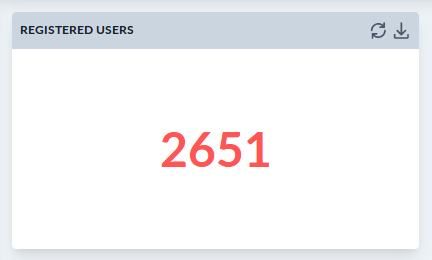
It shows some dimensions and metrics organized in a table allowing user to apply a custom sorting. It accept multiple dimensions and metrics.
It has a one custom method:
orderBy($column, $dir)to set a custom orderBy clause
Table::create('user-per-country', 'User per Country')
    ->dimensions([
        StringDimension::create('country_code', 'Country'),
    ])
    ->metrics([
        CountMetric::create('count', 'Count'),
    ])
    ->orderBy('count', 'desc')
LineChart
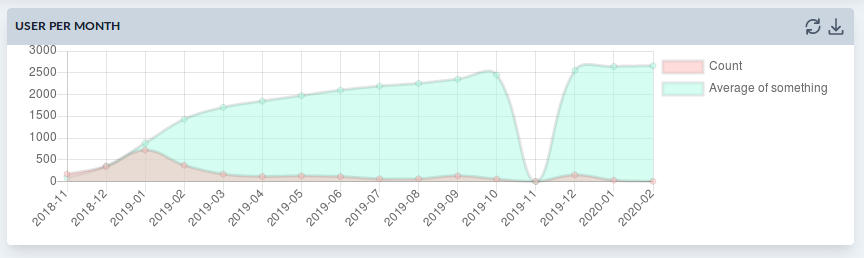
It shows a line chart with different axis on a single horizontal dimension. It accept a single dimension and multiple metrics.
PartitionPie
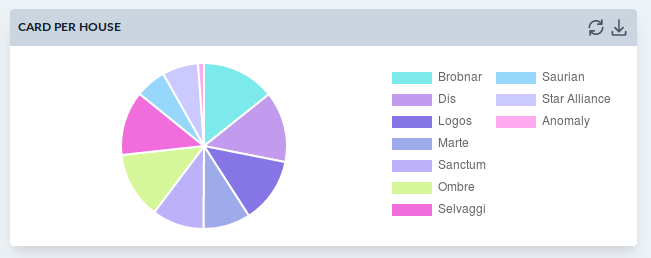
It shows a pie chart with a single metric and a single dimension. It accept a single dimension and a single metric.
Filters
Filters are special tools that allow users to filter data in each dashboard. You can instantiate Widgets using create static method. It accept 2 parameters:
- key: a mandatory internal identifier and column name
- name: a mandatory label
StringFilter::create('type', 'Type')
Laravel Bi is shipped with some preconfigured filters:
StringFilter
It shows a multiple combo with all the possible values of a particular column.
NumberFilter
It shows a number control to select different operators.
DateFilter
It shows a calendar to select a date.
DateIntervalFilter
It shows a range calendar to select a day interval.
Dashboard configuration
Each dashboard presents 2 method: filters() and widgets() and 3 properties model, uriKey, name.
You have to implement methods returning respectively a list of filters and a list of widget.
public function widgets()
{
    return [
        BigNumber::create('post-count', 'Number of Posts')
            ->metric(CountMetric::create('count', 'Count'))
            ->width('w-1/2')
    ];
}
Thanks to
Thanks to https://github.com/sschoger/heroicons-ui
loonatx/laravel-bi-10 适用场景与选型建议
loonatx/laravel-bi-10 是一款 基于 PHP 开发的 Composer 扩展包,目前已累计 4 次下载、GitHub Stars 达 1, 最近一次更新时间为 2024 年 09 月 25 日, 在 PHP 生态内属于活跃度较高的组件。
我们在过去多个企业项目中使用过 loonatx/laravel-bi-10 或与其功能相近的方案,如果你在选型或落地过程中遇到问题,例如 版本兼容、二次改造、私有化封装、与内部系统对接、生产 BUG 排查,欢迎联系我们协助评估。
基于 loonatx/laravel-bi-10 在你已有业务上做功能扩展、字段裁剪、UI 适配、与内部账号 / 权限 / 日志系统的深度对接。
线上偶发问题、内存泄漏、慢查询、并发异常等排查修复;针对高流量场景做缓存、队列、索引层面的调优。
承接完整的项目从需求 → 设计 → 开发 → 上线 → 长期运维;也可按月提供技术保姆服务。
统计信息
- 总下载量: 4
- 月度下载量: 0
- 日度下载量: 0
- 收藏数: 1
- 点击次数: 9
- 依赖项目数: 0
- 推荐数: 0
其他信息
- 授权协议: MIT
- 更新时间: 2024-09-25