megoxv/filawidget
Composer 安装命令:
composer require megoxv/filawidget
包简介
This is my package filawidget
README 文档
README
Filawidget is a dynamic content and widget management package for FilamentPHP, providing an easy-to-use drag-and-drop interface to manage widgets, widget areas, and hierarchical pages. The package is designed to enhance the customization of page layouts and widgets in Laravel projects.
Support us
Key Features
Widget Management
- Create and Customize Widgets: Users can create widgets with custom fields, types, and configurations. Each widget can have a set of configurable fields and is tied to a specific widget area.
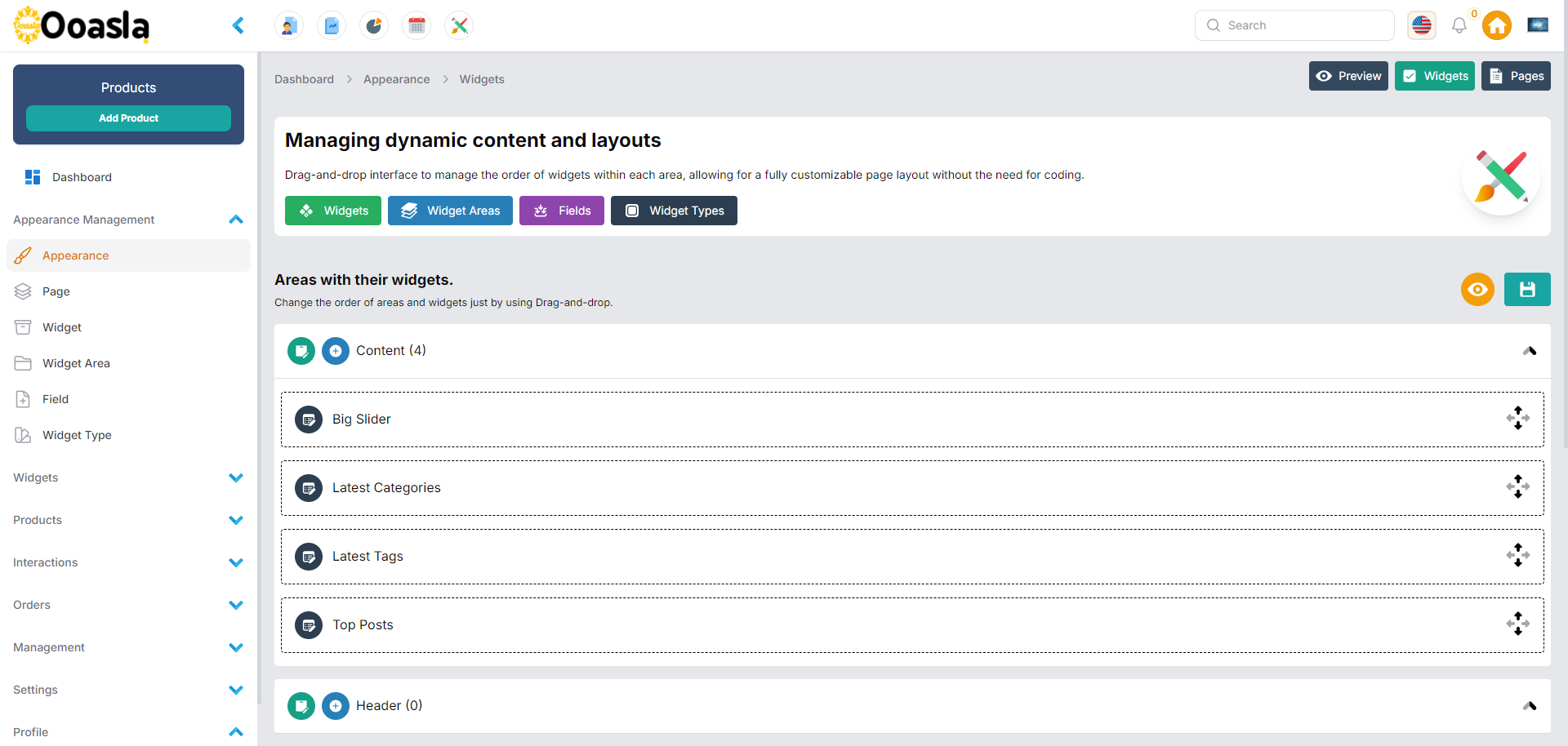
- Drag-and-Drop Interface: An easy-to-use drag-and-drop interface allows users to organize widgets within areas dynamically, rearranging widget order effortlessly.
- Active/Inactive Widgets: Manage the status of widgets, setting them as active or inactive based on visibility requirements.
Widget Areas
- Multiple Widget Areas: Define different widget areas (e.g., sidebars, footers) to which widgets can be assigned.
- Drag-and-Drop Layout Customization: Users can rearrange the order of both widget areas and the widgets within them using drag-and-drop functionality, ensuring customizable page layouts.
- Active/Inactive Widget Areas: Control the visibility of widget areas, marking them as active or inactive depending on layout preferences.
Page and Subpage Management
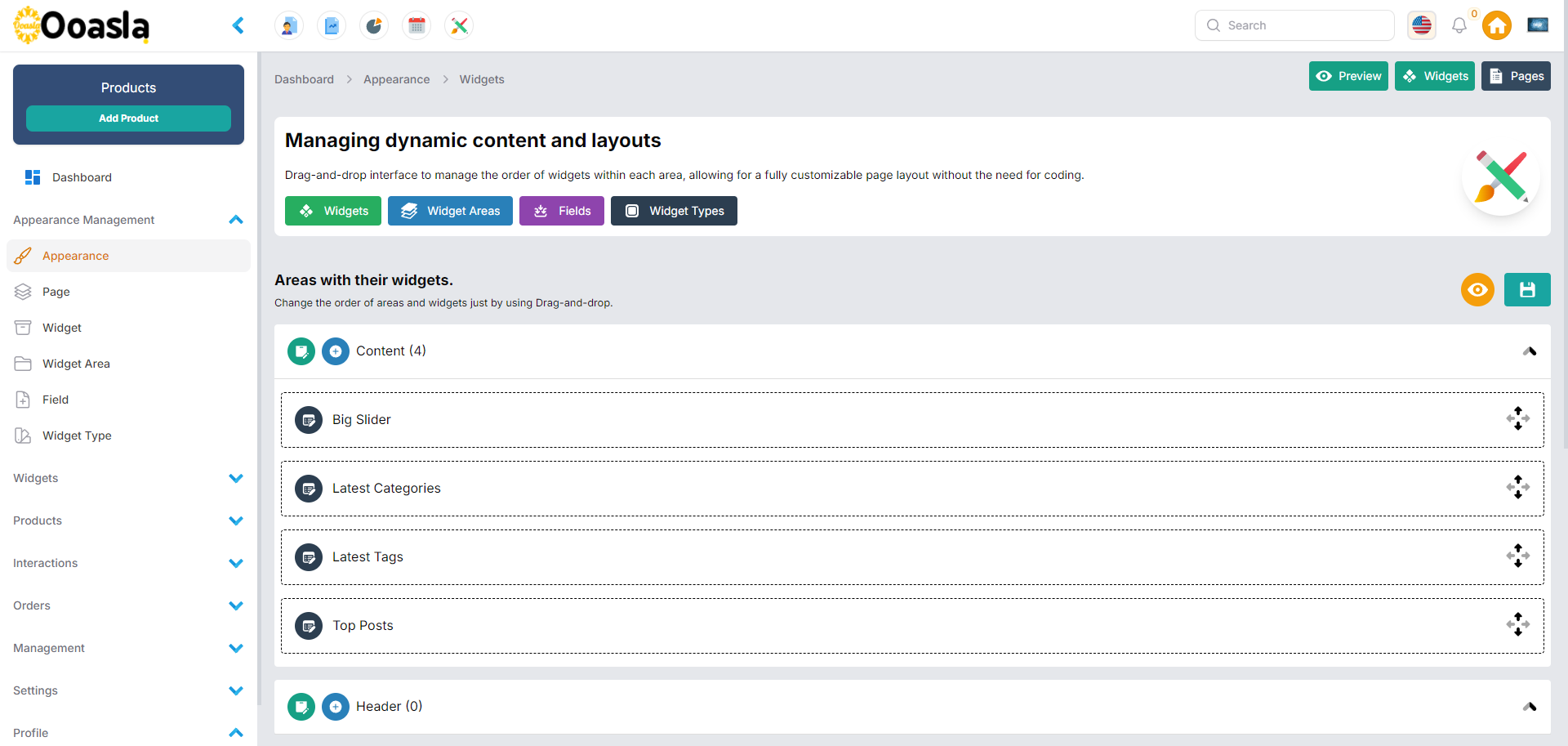
- Hierarchical Pages: Manage pages and subpages in a hierarchical structure with parent-child relationships. Pages can be organized into different levels of hierarchy, facilitating complex website structures.
- Page Status: Set pages as active or inactive based on publishing needs, allowing for controlled visibility across the website.
- Drag-and-Drop Page Reordering: Reorder pages and subpages easily through a drag-and-drop interface, ensuring flexibility in page hierarchy and content organization.
Dynamic Field Configuration
- Custom Fields for Widgets: Add custom fields to widgets, such as text, images, or other input types, through a dynamic and configurable system.
- JSON-Based Field Options: Provide flexible options for fields, enabling validation rules, default values, and other configurations in JSON format.
Widget Types
- Custom Widget Types: Create different types of widgets with specific functionalities, allowing for a wide range of content management options.
- Field Association with Widget Types: Assign different sets of fields to widget types, ensuring each widget type has the necessary input fields for customization.
Order Management
- Customizable Widget and Page Orders: Users can update the order of widgets, pages, and widget areas. Each item can be repositioned dynamically, offering complete control over the structure.
- Automated Order Updates: Use the built-in functionality to update the order of widgets and pages across the system automatically.
Note :
Screenshots from the client project.
Youtube Video
Widgets
Pages
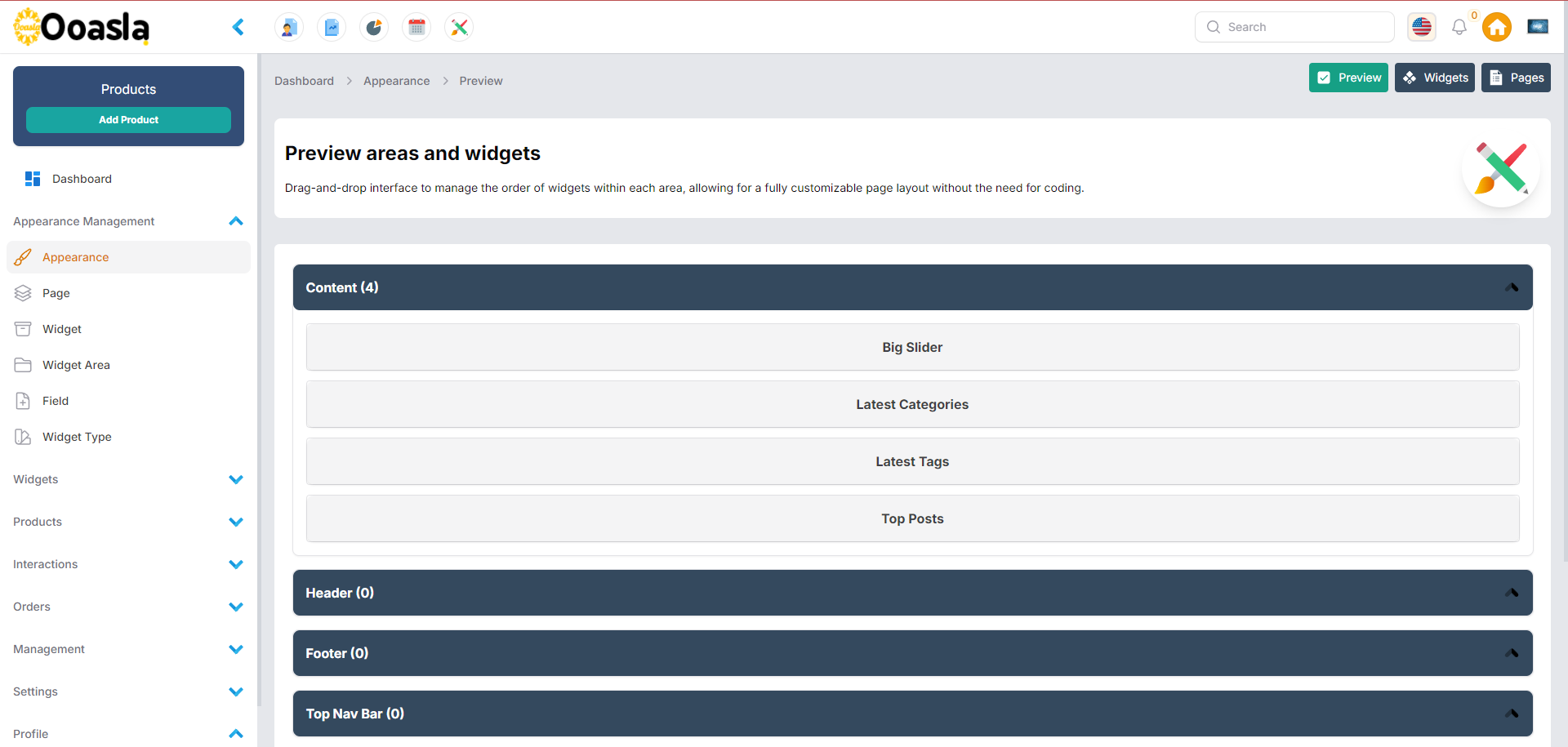
Preview
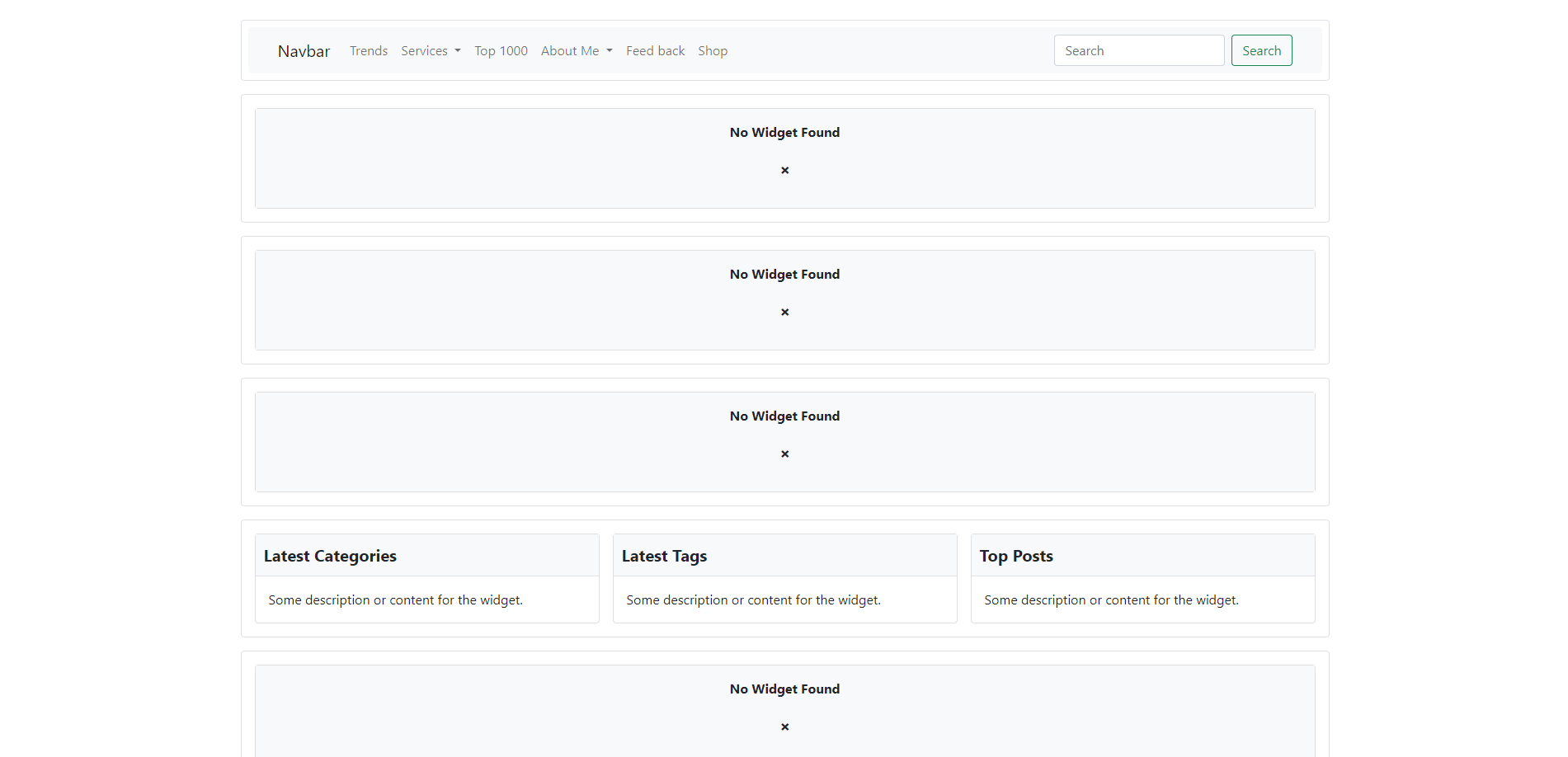
Frontend
Installation
You can install the package via composer:
composer require ibrahimbougaoua/filawidget
You can publish and run the migrations with:
php artisan vendor:publish --tag="filawidget-migrations"
php artisan migrate
You can publish the config file with:
php artisan vendor:publish --tag="filawidget-config"
This is the contents of the published config file:
return [
    'should_register_navigation_appearance' => true,
    'should_register_navigation_pages' => true,
    'should_register_navigation_widgets' => true,
    'should_register_navigation_widget_areas' => true,
    'should_register_navigation_fields' => true,
    'should_register_navigation_widget_types' => true,
    'show_home_link' => true,
    'show_quick_appearance' => true,
];
Optionally, you can publish the views using
php artisan vendor:publish --tag="filawidget-views"
Available fields of filament that can use it for create dynamic widget.
----------------------------------------
| Field Type        | Description      |
|-------------------|------------------|
| Text              | Text Field       |
| Textarea          | Textarea Field   |
| Number            | Number Input     |
| Select            | Select Dropdown  |
| Checkbox          | Checkbox         |
| Radio             | Radio Button     |
| Toggle            | Toggle Switch    |
| Color Picker      | Color Picker     |
| Date Picker       | Date Picker      |
| Date Time Picker  | Date Time Picker |
| Time Picker       | Time Picker      |
| File Upload       | File Upload      |
| Image Upload      | Image Upload     |
| Rich Editor       | Rich Text Editor |
| Markdown Editor   | Markdown Editor  |
| Tags Input        | Tags Input       |
| Password          | Password Input   |
----------------------------------------
Usage
// AdminPanelProvider
use IbrahimBougaoua\Filawidget\FilaWidgetPlugin;

public function panel(Panel $panel): Panel
{
    return $panel
            ->plugins([
                FilaWidgetPlugin::make(),
            ]);
}
// Areas
use IbrahimBougaoua\Filawidget\Services\AreaService;

$areas = AreaService::getAllAreas();
$areasWithOrderedWidgets = AreaService::getAllAreasWithOrderedWidgets();
$area = AreaService::getWidgetByIdentifier("Sidebar");
// Widgets
use IbrahimBougaoua\Filawidget\Services\WidgetService;

$widgets = WidgetService::getAllWidgets();
$widget = WidgetService::getWidgetBySlug("latest-posts");
// Pages
use IbrahimBougaoua\Filawidget\Services\PageService;

$pages = PageService::getAllPages();
$page = PageService::getPageBySlug("about-us");
$counts = PageService::counts();
use IbrahimBougaoua\Filawidget\Services\AreaService;
use IbrahimBougaoua\Filawidget\Services\PageService;

// Route
Route::get('/', function(){
    $pages =  PageService::getAllPages();
    $areas =  AreaService::getAllAreas();

    return view('welcome',[
        'pages' => $pages,
        'areas' => $areas,
    ]);
});

// Welcome Blade
<!doctype html>
<html lang="en">
  <head>
    <meta charset="utf-8">
    <meta name="viewport" content="width=device-width, initial-scale=1">
    <link href="https://cdn.jsdelivr.net/npm/bootstrap@5.0.2/dist/css/bootstrap.min.css" rel="stylesheet">
    <title>Filament Widgets</title>
    <style>
      .widget-card {
          margin-bottom: 20px;
      }
      .widget-header {
          font-size: 1.25rem;
          font-weight: bold;
          background-color: #f8f9fa;
          padding: 10px;
          border-bottom: 1px solid #dee2e6;
      }
    </style>
  </head>
  <body>
    <div class="container mt-4">

        <div class="row px-2 py-2 mb-3 rounded border">
            <nav class="navbar navbar-expand-lg navbar-light bg-light rounded">
                <div class="container-fluid">
                  <a class="navbar-brand" href="#">Navbar</a>
                  <button class="navbar-toggler" type="button" data-bs-toggle="collapse" data-bs-target="#navbarSupportedContent" aria-controls="navbarSupportedContent" aria-expanded="false" aria-label="Toggle navigation">
                    <span class="navbar-toggler-icon"></span>
                  </button>
                  <div class="collapse navbar-collapse" id="navbarSupportedContent">
                    <ul class="navbar-nav me-auto mb-2 mb-lg-0">
                      @foreach ($pages as $key => $page)
                        @if(count($page->children))
                            <li class="nav-item dropdown">
                                <a class="nav-link dropdown-toggle" href="#" id="navbarDropdown{{ $key }}" role="button" data-bs-toggle="dropdown" aria-expanded="false">
                                    {{ $page->title }}
                                </a>
                                <ul class="dropdown-menu" aria-labelledby="navbarDropdown{{ $key }}">
                                    @foreach ($page->children as $key => $sub_page)
                                        <li>
                                            <a class="dropdown-item" href="{{ $sub_page->slug }}">
                                                {{ $sub_page->title }}
                                            </a>
                                        </li>
                                    @endforeach
                                </ul>
                            </li>
                        @else
                            <li class="nav-item">
                                <a class="nav-link" href="{{ $page->slug }}">
                                    {{ $page->title }}
                                </a>
                            </li>
                        @endif
                      @endforeach
                    </ul>
                    <form class="d-flex">
                      <input class="form-control me-2" type="search" placeholder="Search" aria-label="Search">
                      <button class="btn btn-outline-success" type="submit">Search</button>
                    </form>
                  </div>
                </div>
            </nav>
        </div>

        @foreach ($areas as $area)
            <div class="row px-2 py-2 mb-3 rounded border">
                @forelse ($area->widgets as $widget)
                    <div class="col-md-4 px-2 py-2">
                        <div class="card widget-card mb-0">
                            <div class="widget-header">
                                {{ $widget->name }}
                            </div>
                            <div class="card-body">
                                <p class="card-text">
                                    {{ $widget->description }}
                                </p>
                            </div>
                        </div>
                    </div>
                @empty
                    <div class="col-12 px-2 py-2">
                        <div class="card widget-card mb-0">
                            <div class="card-body bg-light">
                                <p class="card-text text-center fw-bold">No Widget Found</p>
                                <p class="card-text text-center fw-bold fs-2">˟</p>
                            </div>
                        </div>
                    </div>
                @endforelse
            </div>
        @endforeach
    </div>

    <script src="https://stackpath.bootstrapcdn.com/bootstrap/5.3.0/js/bootstrap.bundle.min.js"></script>
    <script src="https://cdn.jsdelivr.net/npm/@popperjs/core@2.9.3/dist/umd/popper.min.js"></script>
    <script src="https://cdn.jsdelivr.net/npm/bootstrap@5.0.2/dist/js/bootstrap.min.js"></script>
  </body>
</html>
Testing
composer test
Changelog
Please see CHANGELOG for more information on what has changed recently.
Contributing
Please see CONTRIBUTING for details.
Security Vulnerabilities
Please review our security policy on how to report security vulnerabilities.
Credits
- [Ibrahim Bougaoua](https://github.com/ibrahim bougaoua)
- All Contributors
License
The MIT License (MIT). Please see License File for more information.
megoxv/filawidget 适用场景与选型建议
megoxv/filawidget 是一款 基于 PHP 开发的 Composer 扩展包,目前已累计 2 次下载、GitHub Stars 达 0, 最近一次更新时间为 2025 年 01 月 04 日, 在 PHP 生态内属于活跃度较高的组件。
它主要适用于以下技术方向: 「laravel」 「ibrahimBougaoua」 「filawidget」 等业务场景。在实际项目中,围绕这些方向常见需要落地的问题包括:接口对接、性能调优、并发安全、与既有框架(Laravel / ThinkPHP / Yii / Webman 等)的兼容适配,以及生产环境的日志埋点与稳定性保障。
我们在过去多个企业项目中使用过 megoxv/filawidget 或与其功能相近的方案,如果你在选型或落地过程中遇到问题,例如 版本兼容、二次改造、私有化封装、与内部系统对接、生产 BUG 排查,欢迎联系我们协助评估。
基于 megoxv/filawidget 在你已有业务上做功能扩展、字段裁剪、UI 适配、与内部账号 / 权限 / 日志系统的深度对接。
线上偶发问题、内存泄漏、慢查询、并发异常等排查修复;针对高流量场景做缓存、队列、索引层面的调优。
承接完整的项目从需求 → 设计 → 开发 → 上线 → 长期运维;也可按月提供技术保姆服务。
与 megoxv/filawidget 相关的其它包
同方向 / 同关键字的高下载量 PHP Composer 包推荐,方便对比选型:
This is my package radiobuttonimage
This is my package filasortable
This is my package filament-country-state-city
Alfabank REST API integration
This is my package filament-subscriptions
A Filament package is a reusable software library for PHP that provides logging and tracking functionality for CRUD operations and user interactions. It includes a logging class to capture create, read, update, delete actions, as well as user interactions like login and logout.
统计信息
- 总下载量: 2
- 月度下载量: 0
- 日度下载量: 0
- 收藏数: 0
- 点击次数: 10
- 依赖项目数: 0
- 推荐数: 0
其他信息
- 授权协议: MIT
- 更新时间: 2025-01-04