onamfc/laravel-route-visualizer
Composer 安装命令:
composer require onamfc/laravel-route-visualizer
包简介
A comprehensive route visualization package for Laravel applications
README 文档
README
A comprehensive route visualization package for Laravel applications that provides an interactive web interface to explore, analyze, and export your application's routing structure with advanced validation and multiple visualization options.
Features
- Interactive Route Explorer: Web-based dashboard with advanced search and filtering
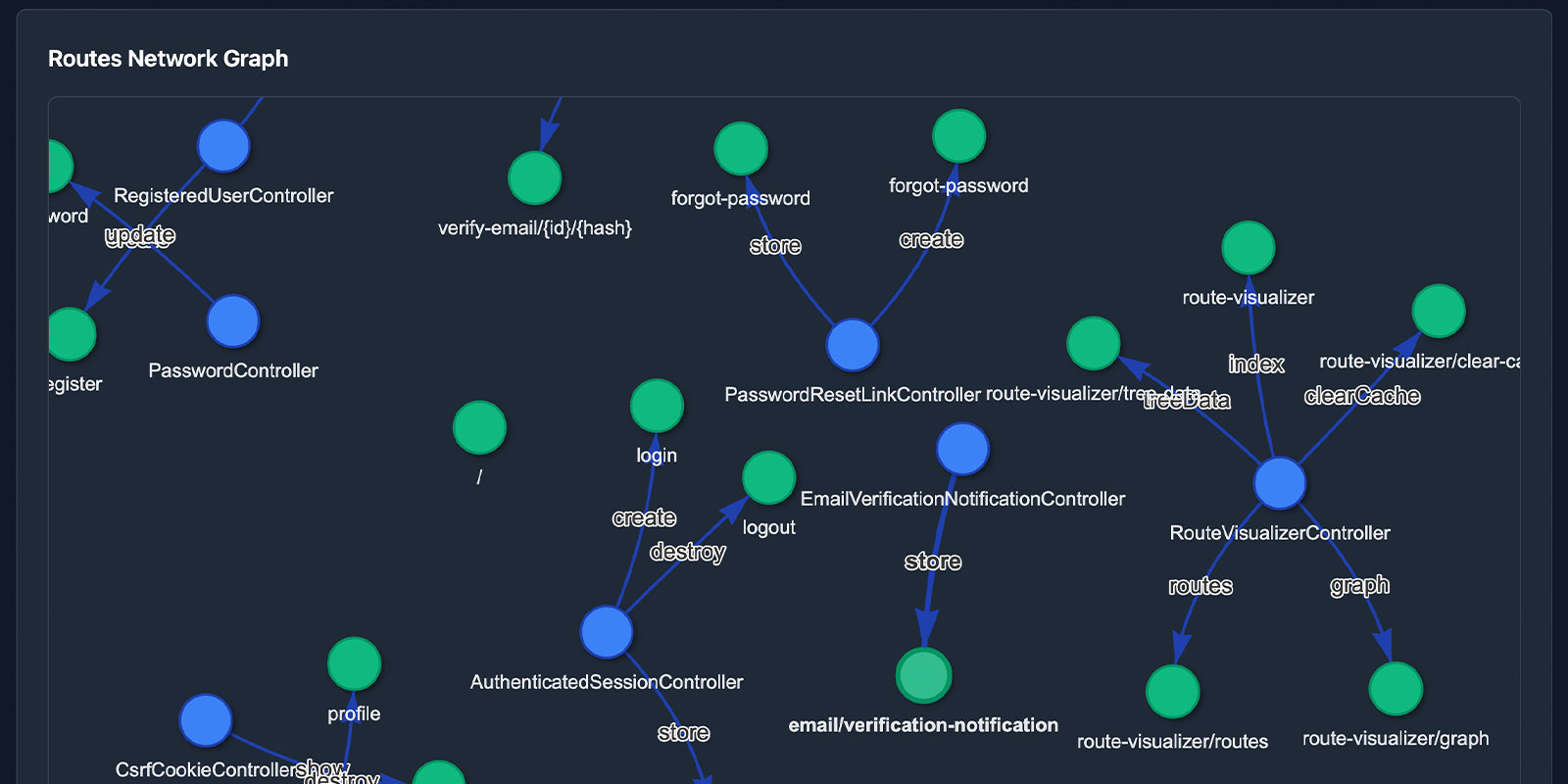
- Network Graph Visualization: Interactive network graphs using Vis.js for route relationships
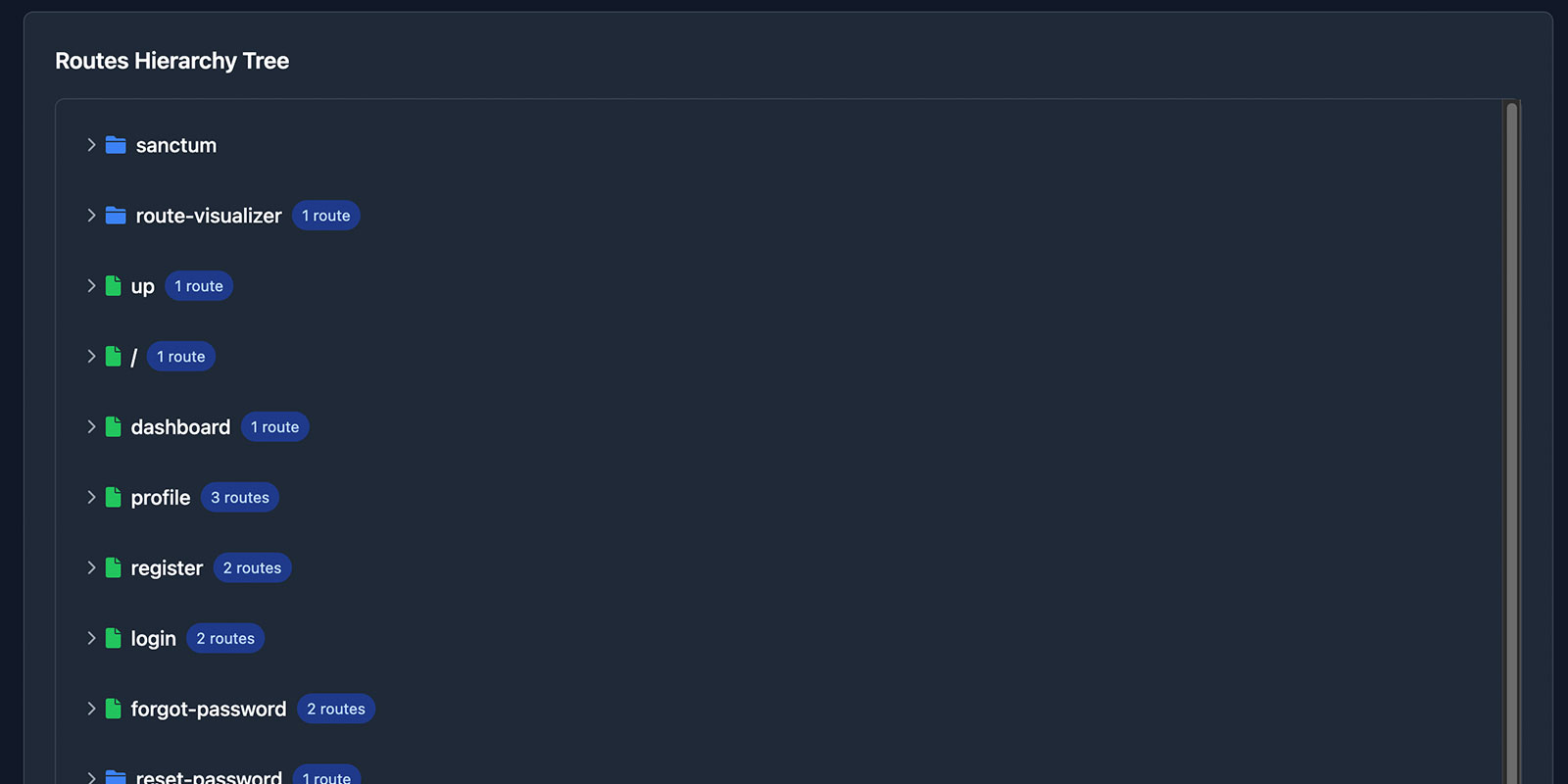
- Tree View: Hierarchical visualization of route structure organized by prefixes
- Advanced Filtering: Filter by HTTP methods, middleware, middleware groups, controllers, domains, namespaces, and more
- Route Validation: Automatic detection of duplicate routes, missing controllers, and missing methods
- Export Capabilities: Export filtered route data to HTML, JSON, or SVG formats
- Performance Optimized: Built-in caching, pagination, and lazy loading for large route sets
- Security Aware: Hide sensitive routes in production environments
- Customizable: Configurable visualization options, and multiple templates
- Copy to Clipboard: One-click copying of route URIs and controller actions
- Laravel Telescope Integration: Direct links to route performance data when Telescope is installed
Requirements
- PHP ^8.1
- Laravel ^10.0|^11.0|^12.0
Installation
Install the package via Composer:
composer require onamfc/laravel-route-visualizer
The package will automatically register itself via Laravel's auto-discovery feature.
Quick Installation
Use the install command to publish all necessary files:
php artisan route-visualizer:install
This command will publish the configuration file, views, and assets in one step.
Manual Installation
If you prefer to publish files individually:
Publish Configuration
php artisan vendor:publish --tag=route-visualizer-config
Publish Views (Optional)
If you want to customize the views:
php artisan vendor:publish --tag=route-visualizer-views
Publish Assets (Optional)
If you want to serve assets locally:
php artisan vendor:publish --tag=route-visualizer-assets
Configuration
The configuration file config/route-visualizer.php allows you to customize:
return [
    // Enable/disable the visualizer (auto-disabled in production)
    'enabled' => env('ROUTE_VISUALIZER_ENABLED', app()->environment(['local', 'testing'])),

    // Route prefix for the visualizer dashboard
    'route_prefix' => 'route-visualizer',

    // Middleware to apply to visualizer routes
    'middleware' => ['web'],

    // Cache settings for performance
    'cache' => [
        'enabled' => true,
        'ttl' => 3600, // 1 hour
        'key' => 'route_visualizer_data',
    ],

    // Visualization library and options
    'visualization' => [
        'layout' => 'hierarchical', // hierarchical, network
        'pagination' => [
            'enabled' => true,
            'per_page' => 50,
        ],
    ],

    // Export settings
    'export' => [
        'path' => storage_path('app/route-maps'),
        'formats' => ['html', 'json', 'svg'],
        'templates' => ['default', 'minimal', 'detailed'],
    ],

    // Security settings
    'security' => [
        'hide_sensitive_routes' => true,
        'sensitive_patterns' => [
            'admin/*',
            'api/admin/*',
            '*/password/*',
            'telescope/*',
            'horizon/*',
        ],
    ],

    // Validation settings
    'validation' => [
        'check_duplicates' => true,
        'check_missing_controllers' => true,
        'check_missing_methods' => true,
    ],

    // Integration settings
    'integrations' => [
        'telescope' => [
            'enabled' => class_exists(\Laravel\Telescope\TelescopeServiceProvider::class),
            'base_url' => '/telescope',
        ],
    ],
];
Usage
Web Interface
Once installed, visit the route visualizer dashboard:
http://your-app.com/route-visualizer
The dashboard provides:
- Overview Statistics: Total routes, controllers, middleware, domains, namespaces, and validation issues

- Advanced Search & Filtering: Real-time search with filters for methods, middleware, domains, namespaces, and more
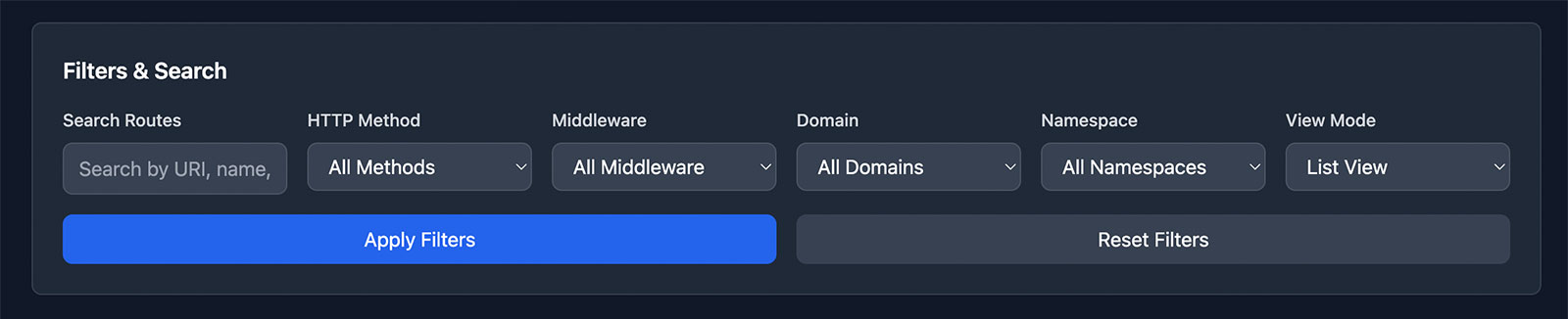
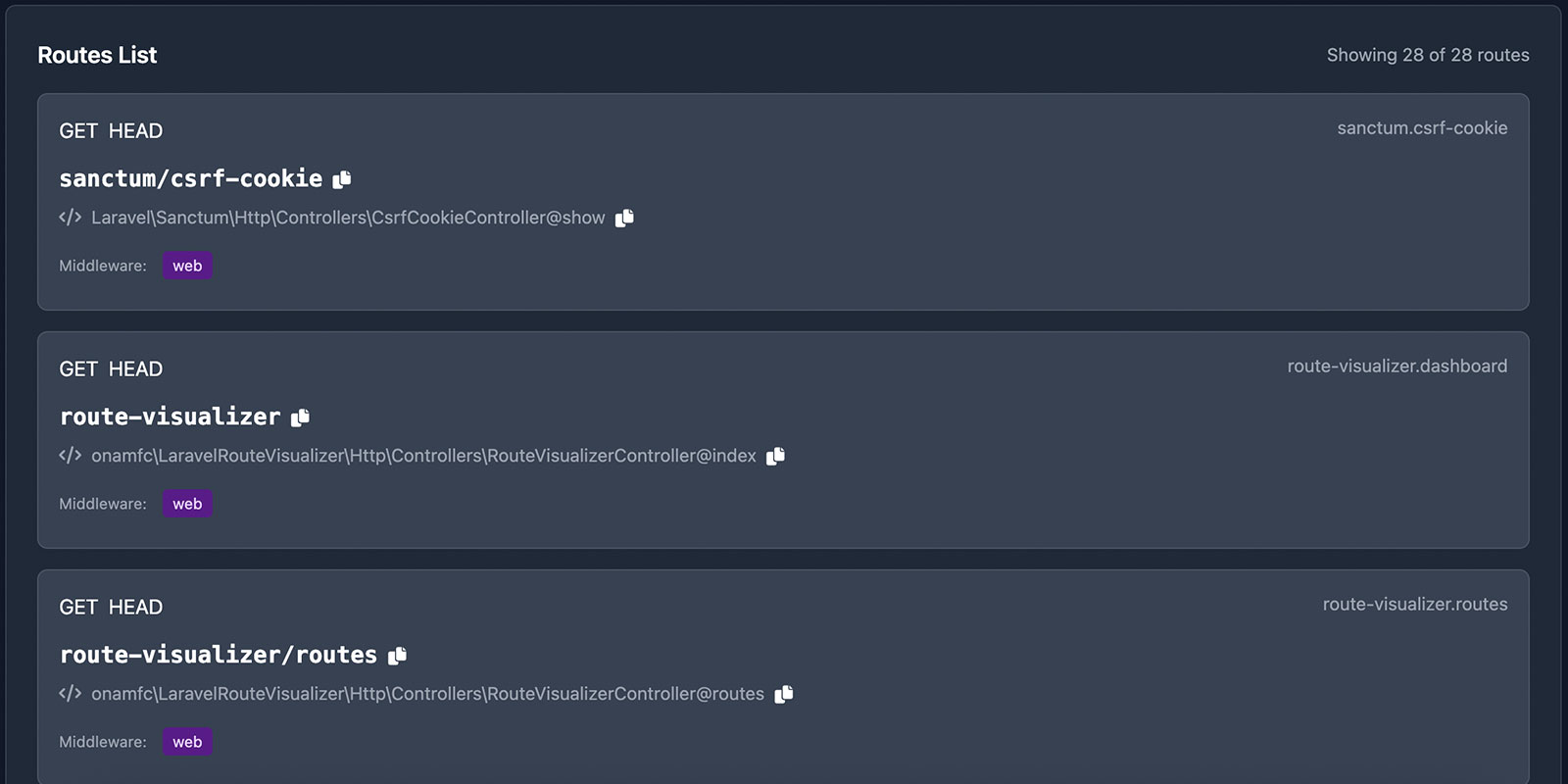
- Multiple View Modes:
- List View: Detailed tabular view with pagination and copy-to-clipboard functionality
- Graph View: Interactive network visualization using Vis.js
- Tree View: Hierarchical visualization organized by route structure
- List View: Detailed tabular view with pagination and copy-to-clipboard functionality
- Route Validation: Visual indicators for duplicate routes, missing controllers, and missing methods
- Export Options: Download filtered route data in various formats
- Telescope Integration: Direct links to route performance data (when available)


Artisan Commands
Install Package
Install and publish all package files:
php artisan route-visualizer:install
Export Routes
Export your route structure to static files with advanced filtering:
# Export to HTML (default)
php artisan route:export

# Export to JSON
php artisan route:export --format=json

# Export to SVG
php artisan route:export --format=svg

# Export with filters
php artisan route:export --filter-method=GET --filter-search=api

# Filter by middleware
php artisan route:export --filter-middleware=auth

# Filter by domain
php artisan route:export --filter-domain=api.example.com

# Filter by namespace
php artisan route:export --filter-namespace="App\Http\Controllers\Api"

# Filter by middleware group
php artisan route:export --filter-middleware-group=web

# Specify custom output path
php artisan route:export --output=/path/to/routes.html

# Use custom template
php artisan route:export --template=minimal
Programmatic Usage
You can also use the route scanner programmatically:
use onamfc\LaravelRouteVisualizer\Services\RouteScanner;

class YourController extends Controller
{
    public function analyzeRoutes(RouteScanner $scanner)
    {
        // Get all routes with validation
        $routes = $scanner->scanRoutes();

        // Get routes grouped by controller
        $byController = $scanner->getRoutesGroupedByController();

        // Get routes grouped by middleware
        $byMiddleware = $scanner->getRoutesGroupedByMiddleware();

        // Get routes grouped by domain
        $byDomain = $scanner->getRoutesGroupedByDomain();

        // Get routes grouped by namespace
        $byNamespace = $scanner->getRoutesGroupedByNamespace();

        // Find duplicate routes
        $duplicates = $scanner->findDuplicateRoutes();

        // Get hierarchical tree data
        $treeData = $scanner->getTreeData();

        // Clear cache
        $scanner->clearCache();

        return response()->json($routes);
    }
}
API Endpoints
The package provides several API endpoints:
GET /route-visualizer/routes- Get filtered route data with paginationGET /route-visualizer/graph- Get network graph data for Vis.jsGET /route-visualizer/tree-data- Get hierarchical tree dataPOST /route-visualizer/clear-cache- Clear route cache
Query Parameters
Filter routes using query parameters:
GET /route-visualizer/routes?search=api&method=POST&middleware=auth&domain=api.example.com&namespace=App\Http\Controllers\Api&middleware_group=web&page=1&per_page=50
Customization
Custom Views
After publishing views, you can customize the dashboard:
php artisan vendor:publish --tag=route-visualizer-views
Edit the views in resources/views/vendor/route-visualizer/.
Custom Styling
You can customize colors and styling by:
- Publishing the views and modifying the CSS
- Overriding the Tailwind classes in your custom views
- Adding custom CSS to your application's stylesheets
Custom Export Templates
Create custom export templates by extending the base export view:
// In your AppServiceProvider
View::composer('route-visualizer::export.html', function ($view) {
    $view->with('customData', 'Your custom data');
});
Network Visualization
The package uses Vis.js for interactive network graphs that show relationships between routes and controllers. The visualization provides:
- Interactive node dragging and zooming
- Color-coded nodes for different types (controllers vs routes)
- Validation status indicators (errors in red, warnings in yellow)
- Hover tooltips with detailed information
Security Considerations
Production Usage
The visualizer is automatically disabled in production environments. To enable it:
ROUTE_VISUALIZER_ENABLED=true
Sensitive Routes
Configure patterns to hide sensitive routes:
'security' => [
    'hide_sensitive_routes' => true,
    'sensitive_patterns' => [
        'admin/*',
        'api/admin/*',
        '*/password/*',
        'telescope/*',
        'horizon/*',
        'nova/*',
    ],
],
Access Control
Add authentication middleware:
'middleware' => ['web', 'auth', 'admin'],
Performance
Caching
Enable caching for better performance with large route sets:
'cache' => [
    'enabled' => true,
    'ttl' => 3600, // 1 hour
],
Pagination
The package includes built-in pagination and lazy loading:
'visualization' => [
    'pagination' => [
        'enabled' => true,
        'per_page' => 50,
    ],
],
Memory Usage
For applications with thousands of routes, consider:
- Enabling route caching
- Using pagination in the web interface
- Filtering routes at the scanner level
- Using the export functionality for static analysis
Validation Features
The package automatically validates your routes and identifies:
- Duplicate Routes: Routes with identical URIs and HTTP methods
- Missing Controllers: Routes pointing to non-existent controller classes
- Missing Methods: Routes pointing to non-existent controller methods
Configure validation in your config file:
'validation' => [
    'check_duplicates' => true,
    'check_missing_controllers' => true,
    'check_missing_methods' => true,
],
Laravel Telescope Integration
When Laravel Telescope is installed, the visualizer automatically adds direct links to route performance data:
'integrations' => [
    'telescope' => [
        'enabled' => class_exists(\Laravel\Telescope\TelescopeServiceProvider::class),
        'base_url' => '/telescope',
    ],
],
Testing
Run the package tests:
vendor/bin/phpunit
The package includes comprehensive feature and unit tests covering:
- Route scanning and data extraction
- API endpoints and filtering
- Export functionality
- Validation features
- Graph data generation
Contributing
- Fork the repository
- Create your feature branch (
git checkout -b feature/amazing-feature) - Commit your changes (
git commit -m 'Add some amazing feature') - Push to the branch (
git push origin feature/amazing-feature) - Open a Pull Request
License
This package is open-sourced software licensed under the MIT license.
onamfc/laravel-route-visualizer 适用场景与选型建议
onamfc/laravel-route-visualizer 是一款 基于 Blade 开发的 Composer 扩展包,目前已累计 20 次下载、GitHub Stars 达 7, 最近一次更新时间为 2025 年 08 月 20 日, 在 PHP 生态内属于活跃度较高的组件。
它主要适用于以下技术方向: 「debugging」 「routes」 「development」 「laravel」 「visualization」 等业务场景。在实际项目中,围绕这些方向常见需要落地的问题包括:接口对接、性能调优、并发安全、与既有框架(Laravel / ThinkPHP / Yii / Webman 等)的兼容适配,以及生产环境的日志埋点与稳定性保障。
我们在过去多个企业项目中使用过 onamfc/laravel-route-visualizer 或与其功能相近的方案,如果你在选型或落地过程中遇到问题,例如 版本兼容、二次改造、私有化封装、与内部系统对接、生产 BUG 排查,欢迎联系我们协助评估。
基于 onamfc/laravel-route-visualizer 在你已有业务上做功能扩展、字段裁剪、UI 适配、与内部账号 / 权限 / 日志系统的深度对接。
线上偶发问题、内存泄漏、慢查询、并发异常等排查修复;针对高流量场景做缓存、队列、索引层面的调优。
承接完整的项目从需求 → 设计 → 开发 → 上线 → 长期运维;也可按月提供技术保姆服务。
与 onamfc/laravel-route-visualizer 相关的其它包
同方向 / 同关键字的高下载量 PHP Composer 包推荐,方便对比选型:
Generates a Blade directive exporting all of your named Laravel routes. Also provides a nice route() helper function in JavaScript.
Block routes by IP
Provides caching methods which can be easily used for caching routes.
Debugging a problem and need to login as one of your customers? This allows you to authenticate as any of your customers.
A PHP package that takes a snapshot of your application and allows you to retrieve it later to help with debugging.
Library with classes to help you do batch.
统计信息
- 总下载量: 20
- 月度下载量: 0
- 日度下载量: 0
- 收藏数: 7
- 点击次数: 22
- 依赖项目数: 0
- 推荐数: 0
其他信息
- 授权协议: MIT
- 更新时间: 2025-08-20