pdchaudhary/lokalise-pimcore
Composer 安装命令:
composer require pdchaudhary/lokalise-pimcore
包简介
Automatically translate and review your content via Lokalise.
关键字:
README 文档
README
Automatically translate and review your content via Lokalise
DEMO VIDEO : https://www.youtube.com/watch?v=5gyPa9YW020
Overview
This extension will work as a bridge between Pimcore and Lokalise for the purpose of automating the whole translation workflow. Thus eliminating most of the manual steps in the task along with availing quality translation-review service from Lokalise.
Features
- Translation & Review - Data Objects, Documents, and Shared Translation
- Workflow management
- Translation progress tracking
- Works with Bulk Objects - Push and Pull for Translation
- Auto push on publish event in Document and Object (New)
- Individual Object Sync (New)
Requirements
- Pimcore 11
composer require pdchaudhary/lokalise-pimcore:3.0
- Pimcore 10
composer require pdchaudhary/lokalise-pimcore:2.x
- Pimcore 5.8 or 6.x
composer require pdchaudhary/lokalise-pimcore:1.0.7
Installation
- Open Pimcore admin panel
- Go to Setting and click on Bundles
- Click on plus icon(+) to enable the plugin
- Then add “lokalise_api_key” in website setting from (Setting -> Website settings)
- Generate the api key from Lokalise with read and write access. To learn how to generate Lokalise api key please refer to Lokalise documentation.
- Now that the Lokalise bundle is enabled and configured, to install go to Settings -> Bundles -> Install(+ icon) against the Lokalise bundle.
- The installation process involves creating 3 projects within Lokalise one each for Documents, Objects and Shared Translations. The projects in Lokalise would be created to have the same number of languages as defined in Pimcore settings. Post creation of projects in Lokalise, their Lokalise projectids would be added to websitesettings. If in case the projects already exist in Lokalise, their projectids would be synced to websitesettings.
- The installation is now successfully completed.
Document translation
There are two flows in the document translation.
Create Document:-
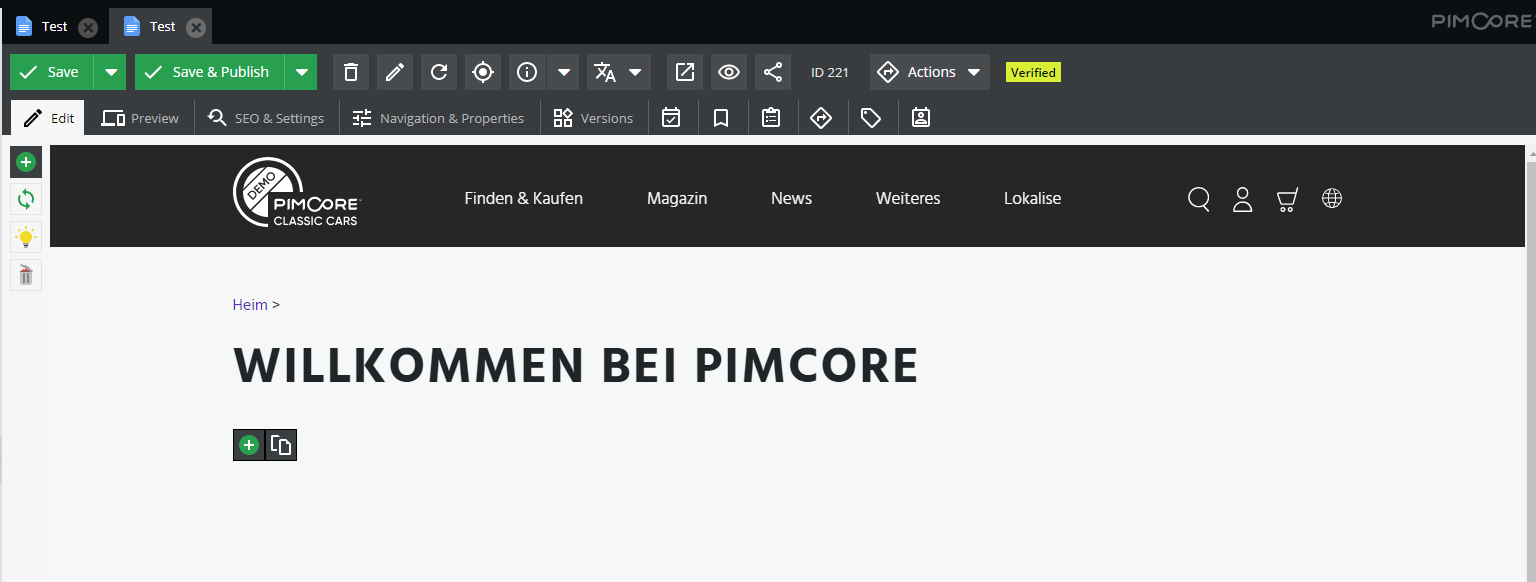
- After opening a document. Lokalise Translate Dropdown will be available on the toolbar. A “Create” option is available in the dropdown for new documents.

- Clicking on the “Create” button, it will open the modal form for language-navigation-title configuration. After filing this form click on the “Apply” button.

- After clicking on the “Apply” button, it will generate keys into Lokalise and then it will change the status for the parent document to “Sent”.

- Then to get the translations of document keys from Lokalise by the translation would have to be verified & reviewed.

- After that you need to run document sync from proccess manager. a child document for that language is automatically generated with the received translation keys and also it will be set verified for that child document or you can also run.

Update Document:-
- After updating the main document, click on the “Update” button in the Lokalise dropdown.
- Note that Update option is only available when their child documents are already created from Lokalise.
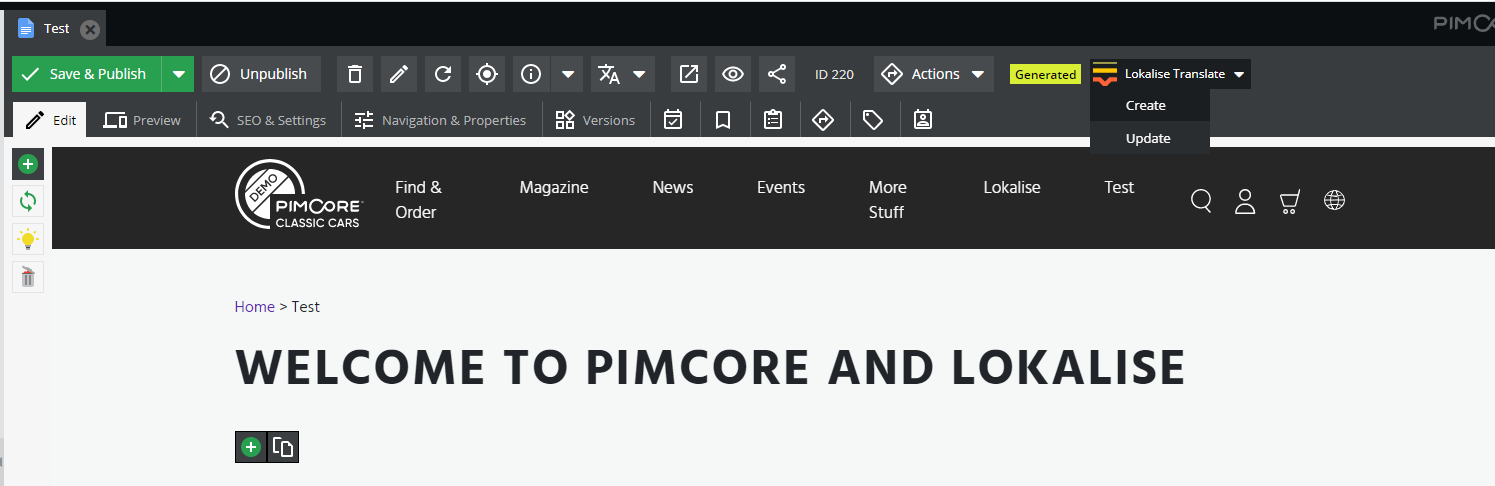
- After clicking on the “Update” button, It will update keys in Lokalise. The document state will change to “Updated”.
- Only the updated component/keys would be sent for the update in translation. Those keys would be set to unverified at Lokalise end, and would be required to be verified in order to get them updated in Pimcore.

- Need to Click Document sync aftet that it will check full document translation in a certain language is done. If so, a child document for that language is automatically updated with the received translation keys and also it will be set verified for that child document.
Note : Don’t push the keys if parent(path) document is not available for child documents For example: I want to generate a - > test page as de -> test page but de is not available then it will not work so first we need to generate de.
Object translation
Create Object:-
- In Object, fields/keys creation option is available at Toolbar -> Lokalise Dropdown -> Create.
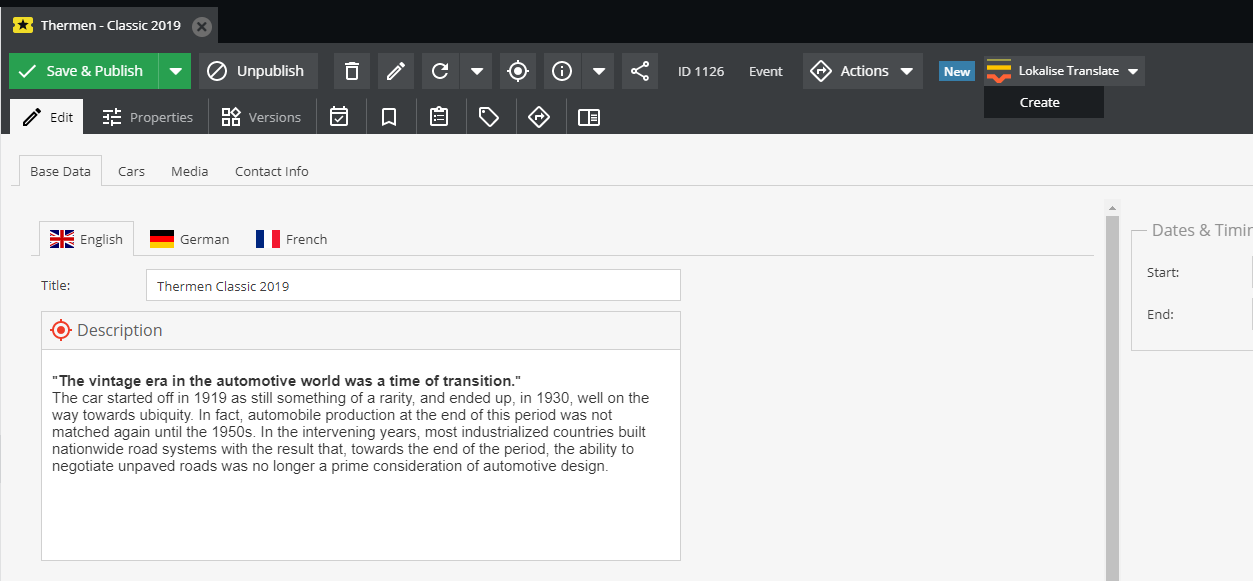
- This will send the fields as keys to Lokalise and change the status of the Object from “New” to “Sent”.
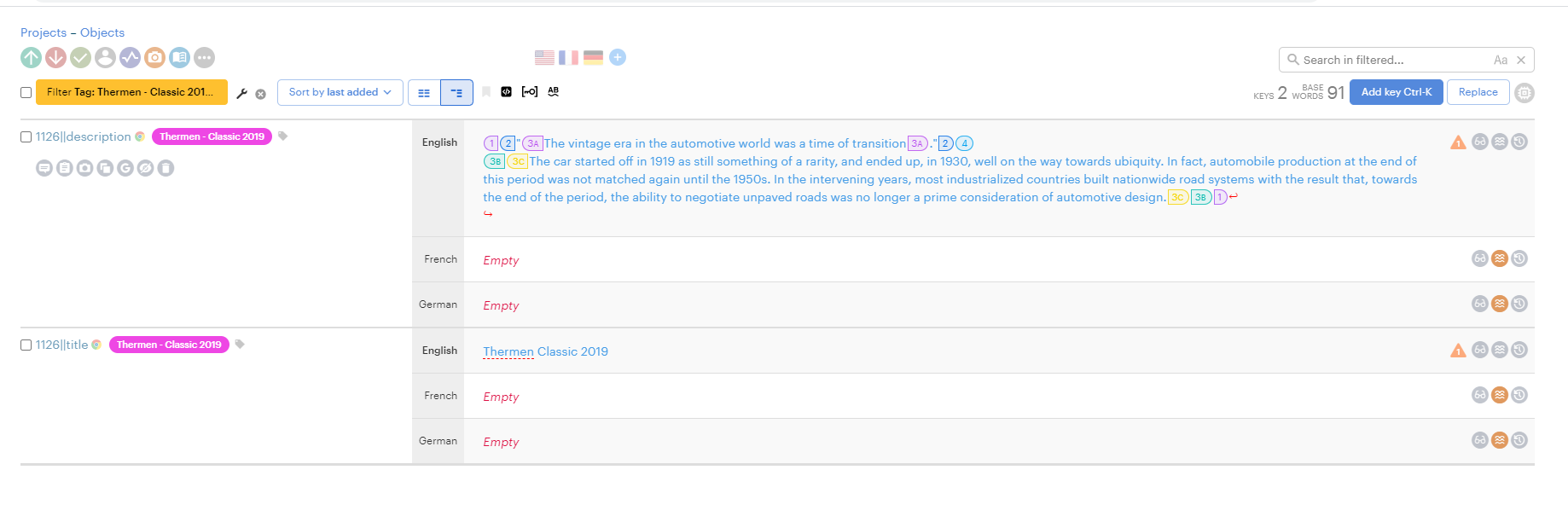
- Need to click on object sync to get the translations of Object fields/keys from Lokalise by setting them reviewed and verified.
Update Object:-
- Update object works the same as Update Document.
Shared translation
There are two jobs for that
- Generate/Update keys job (Push Shared translation)
- Sync keys job ( Pull Shared translation) It will generate/update and sync with Lokalise with those jobs.
Auto push in document and object
Steps to enable auto push
- Goto website settings
- Add lokalise_auto_push setting with checkbox type
- Enable lokalise_auto_push

List of jobs
- Sync documents (Work as bulk pull)
- Sync objects (Work as bulk pull)
- Bulk Object Push
- Generate/Update Shared Translation keys
- Sync shared translation
- Sync Lokalise keys with Pimcore database
pdchaudhary/lokalise-pimcore 适用场景与选型建议
pdchaudhary/lokalise-pimcore 是一款 基于 PHP 开发的 Composer 扩展包,目前已累计 2.7k 次下载、GitHub Stars 达 7, 最近一次更新时间为 2021 年 08 月 29 日, 在 PHP 生态内属于活跃度较高的组件。
它主要适用于以下技术方向: 「translation」 「e-commerce」 「automatic」 「marketplace」 「pimcore」 「pimcore-plugin」 等业务场景。在实际项目中,围绕这些方向常见需要落地的问题包括:接口对接、性能调优、并发安全、与既有框架(Laravel / ThinkPHP / Yii / Webman 等)的兼容适配,以及生产环境的日志埋点与稳定性保障。
我们在过去多个企业项目中使用过 pdchaudhary/lokalise-pimcore 或与其功能相近的方案,如果你在选型或落地过程中遇到问题,例如 版本兼容、二次改造、私有化封装、与内部系统对接、生产 BUG 排查,欢迎联系我们协助评估。
基于 pdchaudhary/lokalise-pimcore 在你已有业务上做功能扩展、字段裁剪、UI 适配、与内部账号 / 权限 / 日志系统的深度对接。
线上偶发问题、内存泄漏、慢查询、并发异常等排查修复;针对高流量场景做缓存、队列、索引层面的调优。
承接完整的项目从需求 → 设计 → 开发 → 上线 → 长期运维;也可按月提供技术保姆服务。
与 pdchaudhary/lokalise-pimcore 相关的其它包
同方向 / 同关键字的高下载量 PHP Composer 包推荐,方便对比选型:
Implementation of the Omnibus Directive for Sylius application.
The WordPress plugin and theme update checker for https://kernl.us
A custom URL rule class for Yii 2 which allows to create translated URL rules
A Laravel Eloquent model trait for translatable resource
Livewire starter kit for Lunar e-commerce.
Admin Hub for GetCandy. A modern headless e-commerce solution for Laravel PHP framework.
统计信息
- 总下载量: 2.7k
- 月度下载量: 0
- 日度下载量: 0
- 收藏数: 8
- 点击次数: 8
- 依赖项目数: 0
- 推荐数: 0
其他信息
- 授权协议: GPL-3.0-or-later
- 更新时间: 2021-08-29