plasticstudio/iconfield
Composer 安装命令:
composer require plasticstudio/iconfield
包简介
Icon field for Silverstripe - forked from jaedb/iconfield
关键字:
README 文档
README
composer require plasticstudio/iconfield
Description
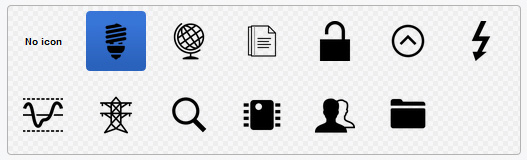
Provides a visual icon picker for content authors. Icon files are managable via the asset library.
Requirements
- SilverStripe 4, 5 or 6
Version
- Use release 1 for legacy non-cms editable icon files
- Use release 2 for Silverstripe 5 with updated icon files managed in CMS Files area
- Use release 3 for Silverstripe 6
Migration
If migrating from release 1 to 2/3:
- check if svgs are allowed in mimetypes (guru: https://app.getguru.com/card/TjR6ab8c/SVG-Mime-type)
- Add folder name to _config.yml
PlasticStudio\IconField\IconField:
  icons_folder_name: SiteIcons
- upgrade to v2/3
- create new folders in CMS Files area based on IconField set up, eg
SiteIcons(or reload cms page with iconfield to create). Can have nested folders inside SiteIcons. - upload and publish icons
- update IconFields to use new source path, eg
IconField::create('SocialIcon', 'Icon', 'SiteIcons'). You should see relevant icons display in iconfield. - to update database and relink selected icon: run task
IconFieldPathMigrator_BuildTaskfor each class that has been updated - make sure to add params
?classname=Skeletor\DataObjects\SummaryPanel&field=SVGIcon - if your new folder is not 'SiteIcons', add this to the params as well, eg
&new-path=NewFolder - lastly, remove the icon folder from client/assets
Usage
- Import the required classes:
use PlasticStudio\IconField\Icon;
use PlasticStudio\IconField\IconField;
- Add folder name to _config.yml
PlasticStudio\IconField\IconField:
  icons_folder_name: SiteIcons
-
Set your
$dbfield to typeIcon(eg'PageIcon' => Icon::class) -
IconField::create($name, $title, $folderName)$nameis the database field as defined in your class$titleis the label for this field$folderNameis the name of the folder inside the Assets eg 'SiteIcons', nested folders are allowed eg 'SiteIcons/ProductIcons'
-
Use your icon in templates as you would any other property (eg
$PageIcon). If your icon is an SVG, the SVG image data will be injected into the template. To prevent this, you can call$PageIcon.IMGinstead to enforce use of<img>tags. -
Add a default width and height to the config.yml file to output width/height attributes on image tags, e.g.
<img width="30" height="30" />. This is good for SEO.
PlasticStudio\IconField\IconField:
  default_width: "30"
  default_height: "30"
统计信息
- 总下载量: 15.27k
- 月度下载量: 0
- 日度下载量: 0
- 收藏数: 1
- 点击次数: 0
- 依赖项目数: 1
- 推荐数: 0
其他信息
- 授权协议: BSD-3-Clause
- 更新时间: 2021-03-17