professional-wiki/external-content
Composer 安装命令:
composer require professional-wiki/external-content
包简介
MediaWiki extension that allows embedding external content, specified by URL, into your wiki pages
README 文档
README
MediaWiki extension that allows embedding external content, specified by URL, into your wiki pages.
External Content has been created and is maintained by Professional Wiki.
Usage
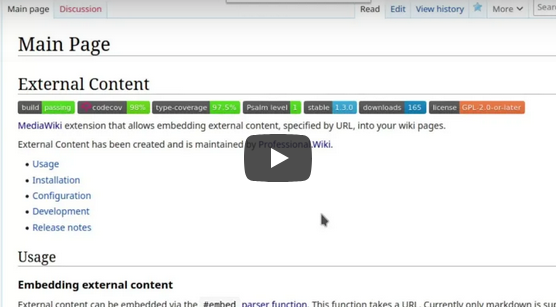
Embedding external content
External content can be embedded via the #embed parser function. This function takes a URL.
Markdown and code syntax highlighting are supported. No additional parameters are needed to render the markdown. To use code
syntax highlighting, refer to the parameters below.
Example:
{{#embed:https://example.com/fluffy/kittens.md}}
There is special handling for GitHub URLs, removing the need to provide the raw file URL:
- github.com/org/repo/blob/master/hi.md => raw.githubusercontent.com/org/repo/master/hi.md
- github.com/org/repo/tree/master/src => defaults to README.md in the directory
- github.com/org/repo => defaults to the README.md in the repository root on the
masterbranch
Embedding Bitbucket content
Content from Bitbucket can be embedded via the #bitbucket parser function.
This function takes a URL and includes the following Bitbucket-specific behavior:
- Validation that the URL matches the Bitbucket repository structure
/browseURLs are automatically turned into/rawURLs- Pointing to the repository root will automatically retrieve
README.md
Example:
{{#bitbucket:https://git.example.com/projects/HI/repos/cats/browse}}
{{#bitbucket:https://git.example.com/projects/HI/repos/cats/raw/README.md?at=refs%2Fheads%2Fmaster}}
Display parameters
Both #embed and #bitbucket can be customized with these parameters:
lang: (Optional) One of the supported languages. Only necessary if the language is not detected from the file extension.lineNumbers: (Optional) Show line numbers.showLines: (Optional) Show only specific lines. It can be a single line number or a range separated with a hyphen (-). Multiple line numbers or ranges can be separated by commas.render: (Optional) render Markdown (this is the default behavior unless$wgExternalContentRenderMarkdownByDefaultis changed)
Examples:
Show Markdown file contents in a code block:
{{#embed:https://example.com/fluffy/kittens.md|lang=markdown}}
Show code block with line numbers:
{{#embed:https://example.com/fluffy/kittens.php|lang=php|line}}
Show only specific lines in a code block:
{{#embed:https://example.com/fluffy/kittens.php|lang=php|showLines=1-3,8}}
Render file as Markdown:
{{#embed:https://example.com/fluffy/kittens.php|render}}
Refreshing external content
To refresh all the pages containing one of the parser functions added by this extension, run
php extensions/ExternalContent/maintenance/RefreshExternalContent.php
Parameters: none
Installation
Platform requirements:
The recommended way to install External Content is using Composer with MediaWiki's built-in support for Composer.
On the commandline, go to your wikis root directory. Then run these two commands:
COMPOSER=composer.local.json composer require --no-update professional-wiki/external-content:~3.0
composer update professional-wiki/external-content --no-dev -o
Then enable the extension by adding the following to the bottom of your wikis LocalSettings.php file:
wfLoadExtension( 'ExternalContent' );
You can verify the extension was enabled successfully by opening your wiki's Special:Version page in your browser.
Configuration
Configuration can be changed via LocalSettings.php.
Rendering markdown
By default, markdown is rendered rather than shown in a code block.
Variable: $wgExternalContentRenderMarkdownByDefault
Default: true - markdown is rendered (unless otherwise specified by the user)
Example: false - markdown is shown as a code block (unless otherwise specified by the user)
Domain whitelist
List of allowed domains to embed content from. Leave empty to have no restriction.
Variable: $wgExternalContentDomainWhitelist
Default: []
Example: [ 'git.example.com', 'another.example.com' ]
File extension whitelist
List of allowed file extensions. Leave empty to have no restriction.
Variable: $wgExternalContentFileExtensionWhitelist
Default: []
Example: [ 'md', 'txt' ]
Caution: The extension currently only supports markdown: any retrieved file content will be rendered ask markdown.
Enable embed function
If the #embed parser function should be enabled.
Variable: $wgExternalContentEnableEmbedFunction
Default: true
Example: false - disables the #embed parser function
Enable bitbucket function
If the #bitbucket parser function should be enabled.
Variable: $wgExternalContentEnableBitbucketFunction
Default: true
Example: false - disables the #bitbucket parser function
Basic Auth credentials
Per-domain Basic Auth credentials.
Variable: $wgExternalContentBasicAuthCredentials
Default: []
Example:
$wgExternalContentBasicAuthCredentials = [
	'git.example.com' => [ 'ExampleUser', 'ExamplePassword' ],
	'another.example.com' => [ getenv( 'BITBUCKET_USER' ), getenv( 'BITBUCKET_PASSWORD' ) ]
];
The above example shows how you can get credentials from ENV vars, which might be preferred over storing them as plaintext in LocalSettings.php.
Connection details
The content of files is fetched via MediaWiki's native HTTP client. This process is affected by various HTTP client variables.
Search
In stock MediaWiki with no extensions, embedded content is not searchable. To make embedded content show up in search results, install Elasticseach and the CirrusSearch extension.
Development
To ensure the dev dependencies get installed, have this in your composer.local.json:
{
	"require": {
		"vimeo/psalm": "^4.10",
		"phpstan/phpstan": "^0.12.99"
	},
	"extra": {
		"merge-plugin": {
			"include": [
				"extensions/ExternalContent/composer.json"
			]
		}
	}
}
Running tests and CI checks
You can use the Makefile by running make commands in the ExternalContent directory.
make ci: Run everythingmake test: Run all testsmake cs: Run all style checks and static analysis
Alternatively, you can execute commands from the MediaWiki root directory:
- PHPUnit:
php tests/phpunit/phpunit.php -c extensions/ExternalContent/ - Style checks:
vendor/bin/phpcs -p -s --standard=extensions/ExternalContent/phpcs.xml - PHPStan:
vendor/bin/phpstan analyse --configuration=extensions/ExternalContent/phpstan.neon --memory-limit=2G - Psalm:
php vendor/bin/psalm --config=extensions/ExternalContent/psalm.xml
Release notes
Version 3.0.1 - 2025-04-06
- Fixed compatibility with MediaWiki 1.43 and above (IDatabase TypeError)
Version 3.0.0 - 2025-04-04
- Raised minimum MediaWiki version from 1.35 to 1.39
- Added support for MediaWiki 1.40, 1.41, 1.42, and 1.43
- Translation updates
Version 2.0.1 - 2023-11-02
- Fixed behavior of the copy button for code blocks with line numbers and/or only specific lines shown
- Improved display of long lines in code blocks by adding line wrapping
Version 2.0.0 - 2023-10-30
- Raised minimum PHP version from 7.4 to 8.0
- Added code syntax highlighting
- Added
langparameter - Added
lineNumbersparameter - Added
showLinesparameter - Added
renderparameter - Added copy button to code blocks
- Added edit link to Bitbucket code blocks
- Added
Version 1.3.0 - 2022-01-08
- Improved handling of relative links. They now point to the "browse" version when embedding using a "browse" URL, rather than using the "raw" version.
Version 1.2.0 - 2021-12-02
- Added support for extended syntax markdown
Version 1.1.0 - 2021-11-01
- Added normalization for github.com URLs to the
#embedparser function
Version 1.0.0 - 2021-09-30
Initial release for MediaWiki 1.35+ with these features:
- Embedding of markdown files via
#embedparser function - Special support for Bitbucket URLs via the
#bitbucketparser function - Restricting of source domains via the
$wgExternalContentDomainWhitelistsetting - Restricting of file extensions via the
$wgExternalContentDomainWhitelistsetting - Support for Basic Auth via the
$wgExternalContentBasicAuthCredentialssetting - Ability to turn off
#embedvia the$wgExternalContentEnableEmbedFunctionsetting - Ability to turn off
#bitbucketvia the$wgExternalContentEnableBitbucketFunctionsetting - Ability to refresh all embedded content via the
RefreshExternalContent.phpmaintenance script - Ability to view pages with embedded content via the
Pages with external contentcategory - Ability to view pages with broken embedded content via the
Pages with broken external contentcategory
professional-wiki/external-content 适用场景与选型建议
professional-wiki/external-content 是一款 基于 PHP 开发的 Composer 扩展包,目前已累计 5.83k 次下载、GitHub Stars 达 9, 最近一次更新时间为 2021 年 09 月 14 日, 在 PHP 生态内属于活跃度较高的组件。
它主要适用于以下技术方向: 「git」 「markdown」 「bitbucket」 「github」 「embed」 「mediawiki」 等业务场景。在实际项目中,围绕这些方向常见需要落地的问题包括:接口对接、性能调优、并发安全、与既有框架(Laravel / ThinkPHP / Yii / Webman 等)的兼容适配,以及生产环境的日志埋点与稳定性保障。
我们在过去多个企业项目中使用过 professional-wiki/external-content 或与其功能相近的方案,如果你在选型或落地过程中遇到问题,例如 版本兼容、二次改造、私有化封装、与内部系统对接、生产 BUG 排查,欢迎联系我们协助评估。
基于 professional-wiki/external-content 在你已有业务上做功能扩展、字段裁剪、UI 适配、与内部账号 / 权限 / 日志系统的深度对接。
线上偶发问题、内存泄漏、慢查询、并发异常等排查修复;针对高流量场景做缓存、队列、索引层面的调优。
承接完整的项目从需求 → 设计 → 开发 → 上线 → 长期运维;也可按月提供技术保姆服务。
与 professional-wiki/external-content 相关的其它包
同方向 / 同关键字的高下载量 PHP Composer 包推荐,方便对比选型:
Texy converts plain text in easy to read Texy syntax into structurally valid (X)HTML. It supports adding of images, links, nested lists, tables and has full support for CSS. Texy supports hyphenation of long words (which reflects language rules), clickable emails and URL (emails are obfuscated again
Easily manage git hooks in your composer config
Adds more BBCode
Nagios plugin to verify a git repository.
Provider-agnostic code review guardian for PHP projects. Works with any PHP project (Symfony, Laravel, Yii, CodeIgniter, etc.) and any Git provider (GitHub, GitLab, Bitbucket, etc.)
GitHub Webhook Listener with plugin-based API for creating your own triggerered actions
统计信息
- 总下载量: 5.83k
- 月度下载量: 0
- 日度下载量: 0
- 收藏数: 9
- 点击次数: 9
- 依赖项目数: 0
- 推荐数: 0
其他信息
- 授权协议: GPL-2.0-or-later
- 更新时间: 2021-09-14