tatter/files
Composer 安装命令:
composer require tatter/files
包简介
File uploads and management, for CodeIgniter 4
README 文档
README
File uploads and management, for CodeIgniter 4



Quick Start
- Install with Composer:
> composer require tatter/files - Migrate the database:
> php spark migrate -all - Seed the database:
> php spark db:seed "Tatter\Files\Database\Seeds\FileSeeder" - Start managing files: https://example.com/files
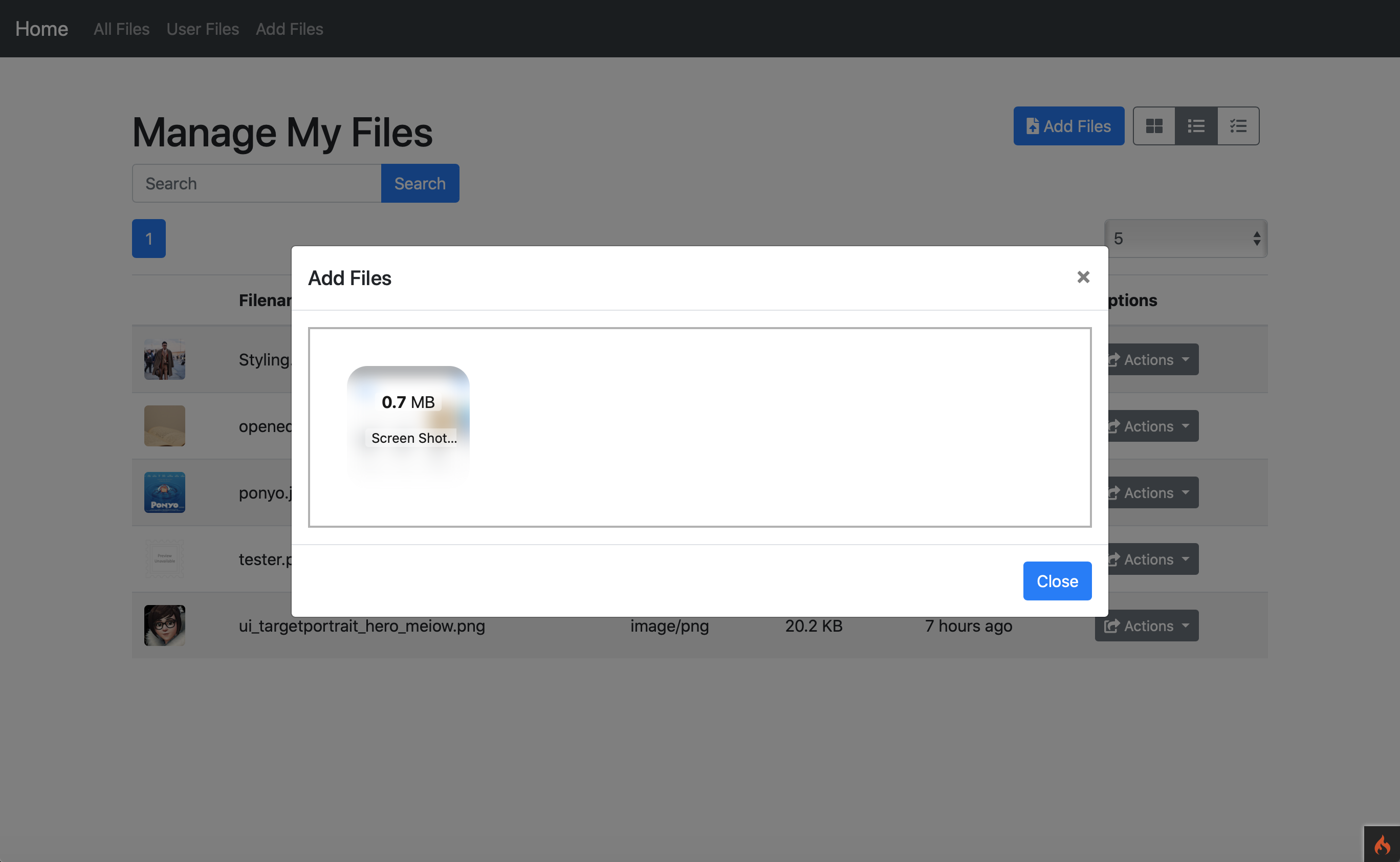

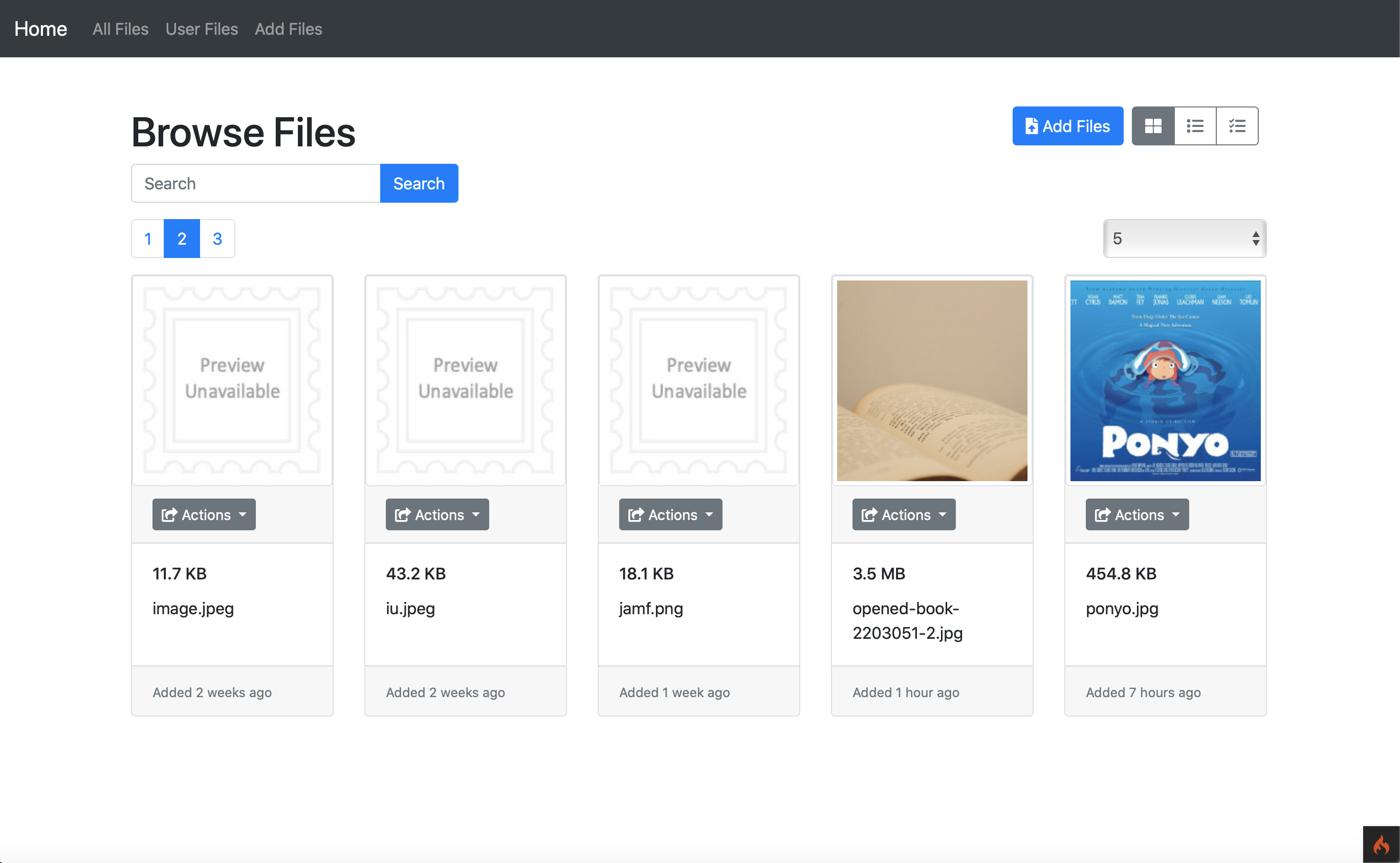
Features
The Files module is a self-contained set of routes and functions that adds uploading and CRUD controls to any project. It uses DropzoneJS for drag-and-drop uploads, and supports a number of extensions for generating file thumbnails and exporting files to various destinations.
Installation
Install easily via Composer to take advantage of CodeIgniter 4's autoloading capabilities and always be up-to-date:
> composer require tatter/files
Or, install manually by downloading the source files and adding the directory to app/Config/Autoload.php.
Once the files are downloaded and included in the autoload, run any library migrations to ensure the database is setup correctly:
> php spark migrate --all
Run the seeder to install necessary database settings:
php spark db:seed "Tatter\Files\Database\Seeds\FileSeeder"
Finally, run the framework's Publish Command to copy assets to your public directory:
php spark publish
NOTE: You may need to adjust your Publisher.php config file to support .mjs files.
Configuration (optional)
The library's default behavior can be altered by extending its config file. Copy examples/Files.php to app/Config/ and follow the instructions in the comments. If no config file is found in app/Config the library will use its own.
NOTE: If your project is part of a tracking repository you probably want to add the file storage to your .gitignore
writable/files/*
!writable/files/index.html
Usage
Default routes:
- files/index - If user is allowed
mayList()then shows all files, otherwise tries to fall back to the current logged in user - files/user/{userId} - Shows files for a single user; if no user ID is supplied it defaults to the current logged in user
- files/thumbnail/{fileId} - Displays the thumbnail for a file
CRUD:
- files/new - Basic Dropzone form
- files/upload - Accepts AJAX upload requests from Dropzone
- files/delete/{fileId} - Removes a file
- files/rename/{fileId} - Accepts POST data to rename a file
Available formats:
- ?format=cards - Default view with thumbnail on responsive layout
- ?format=list - An efficient list of files in table format
- ?format=select - Can be used to create selectable files, e.g. as part of a form
Access control
This library uses Tatter\Permits to control access to files, both generally (list, create)
and specifically per user or group. The super-permit mayAdmin() can be added to a user or
group for global file access.
By default the files/ routes are available as soon as the module is installed. In most cases you will want to use Route Filters to restrict some or all of the routes.
Extending
Controllers/Files.php is the heart of the module, using cascading options to choose
which files to display when. This controller has a setData() method to allow you to
intercept this process to provide your own settings at any point. Simply extend the
controller to your own and then provide whatever changes you would like, followed
by the display() method. E.g.:
<?php namespace App\Controller;

class WidgetFiles
{
	public function index($widgetId)
	{
		$this->setData([
			'format' => 'cards',
			'files'  => model(WidgetModel::class)->getFiles($widgetId),
			'layout' => 'manage',
		]);

		return $this->display();
	}
}
These are the default options for setData(), but you may also supply anything else you
need in your view:
source- The name of the controller method making the calllayout- The view layout to use (see Config/Files.php)files- An array of Files to displayselected- Files to pre-select (for theselectformat)userId- ID of a user to filter for Files`username- Display name of the user for the default layout titleajax- Whether to process the request as an AJAX call (skips layout wrapping)search- Search term to filter Filessort- File sort fieldorder- File sort orderformat- Display format for files (cards, list, select, or your own!)perPage- Number of items to display per pagepage- Page number (leavenullfor default Pager handling)pager-Pagerinstance to handle paginationaccess- Whether the files can be modified, "manage" or "display"exports- Destinations a File may be sent to (seeTatter\Exports)bulks- Bulk destinations for a group of Files (seeTatter\Exports)
tatter/files 适用场景与选型建议
tatter/files 是一款 基于 PHP 开发的 Composer 扩展包,目前已累计 2.97k 次下载、GitHub Stars 达 63, 最近一次更新时间为 2019 年 08 月 12 日, 在 PHP 生态内属于活跃度较高的组件。
它主要适用于以下技术方向: 「codeigniter」 「files」 「uploads」 「dropzone」 「codeigniter4」 等业务场景。在实际项目中,围绕这些方向常见需要落地的问题包括:接口对接、性能调优、并发安全、与既有框架(Laravel / ThinkPHP / Yii / Webman 等)的兼容适配,以及生产环境的日志埋点与稳定性保障。
我们在过去多个企业项目中使用过 tatter/files 或与其功能相近的方案,如果你在选型或落地过程中遇到问题,例如 版本兼容、二次改造、私有化封装、与内部系统对接、生产 BUG 排查,欢迎联系我们协助评估。
基于 tatter/files 在你已有业务上做功能扩展、字段裁剪、UI 适配、与内部账号 / 权限 / 日志系统的深度对接。
线上偶发问题、内存泄漏、慢查询、并发异常等排查修复;针对高流量场景做缓存、队列、索引层面的调优。
承接完整的项目从需求 → 设计 → 开发 → 上线 → 长期运维;也可按月提供技术保姆服务。
与 tatter/files 相关的其它包
同方向 / 同关键字的高下载量 PHP Composer 包推荐,方便对比选型:
An HTML5 upload field for the CMS and frontend forms.
Pop Http Component for Pop PHP Framework
The CodeIgniter Redis package
A very simple yet useful helper class to handle PHP file uploads.
The flysystem adapter for yandex disk rest api.
Wordpress S3 Uploads Drop In
统计信息
- 总下载量: 2.97k
- 月度下载量: 0
- 日度下载量: 0
- 收藏数: 64
- 点击次数: 9
- 依赖项目数: 0
- 推荐数: 0
其他信息
- 授权协议: MIT
- 更新时间: 2019-08-12