vemcogroup/nova-charts
Composer 安装命令:
composer require vemcogroup/nova-charts
包简介
A Laravel Nova card to show charts from the Chart.js library.
README 文档
README
This card tool gives the possibility to add cards with charts from Chart.js.
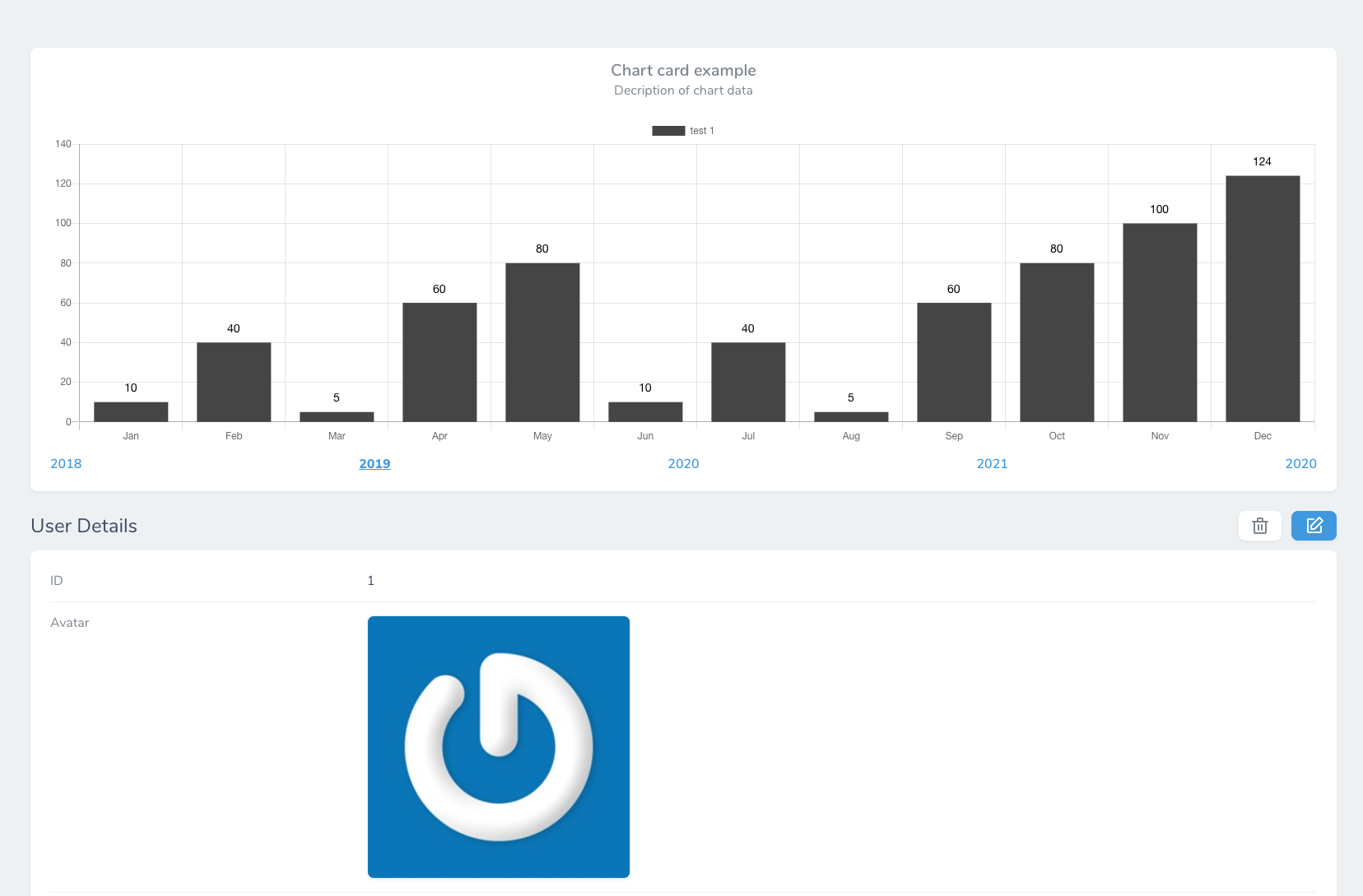
Installation
You can install the nova tool in to a Laravel app that uses Nova via composer:
composer require vemcogroup/nova-charts
Usage
You can now use add card with charts from your resources data.
First you need to add the trait HasGraphData to the models that should show chart data.
use Vemcogroup\Charts\Traits\HasChartData;

class Product extends Model
{
    use HasChartData;
    ...
}
The trait has 2 functions which can be extended to show chart data:
public function chartResourceData($selection)
{
    return [
        'labels' => [],
        'datasets' => [],
    ];
}

public function chartDashboardData($selection)
{
    return $this->chartResourceData($selection);
}
When adding the chart card to a resource these options are available:
At the moment its only possible to use chart on resource detail page
return [
    (new \Vemcogroup\Charts\Chart)->onlyOnDetail()
];
Title
You can set the title of the card.
(new \Vemcogroup\Charts\Chart())->title('Title of card');
Description
You can set the description of the card which will be shown below title.
(new \Vemcogroup\Charts\Chart())->description('Description of card');
Type
There are at the moment 3 types of charts available:
\Vemcogroup\Charts\Chart::CHART_TYPE_BAR = 'bar';
\Vemcogroup\Charts\Chart::CHART_TYPE_STACKED_BAR = 'stackedBar';
\Vemcogroup\Charts\Chart::CHART_TYPE_LINE = 'line';
You can set your chart type like this, default is bar
(new \Vemcogroup\Charts\Chart())->type(\Vemcogroup\Charts\Chart::CHART_TYPE_BAR);
Labels
If you dont want to display labels on the chart, you able to hide them.
(new \Vemcogroup\Charts\Chart())->withoutLabels();
Legends
If you dont want to display legends on the chart, you able to hide them.
(new \Vemcogroup\Charts\Chart())->withoutLegends();
Selections
You are able to create a section of selections below the chart that, when clicked, will change the data with the selection ex. selections of years.
By default selections are hidden until set.
(new \Vemcogroup\Charts\Chart())->selections([2018, 2019, 2020, 2021, 2022]);
You are also able to select which selection to start from.
(new \Vemcogroup\Charts\Chart())->startFromSelection(2019);
Model (v3.x)
Only for version 3.x
Its required to set the model from where you want the data.
(new \Vemcogroup\Charts\Chart())->model(\App\Company::class)
Resource (2.x | 1.x)
Only for version 1.x | 2.x
If you want to show a chart on a dashboard the chart dont know what resources to take data from, this can be defined by this option.
Remember to type resource as plural, ex companies
(new \Vemcogroup\Charts\Chart())->resource('companies');
When using a chart on dashboard remember to override the function chartDashboardData($selection)
统计信息
- 总下载量: 342
- 月度下载量: 0
- 日度下载量: 0
- 收藏数: 8
- 点击次数: 1
- 依赖项目数: 0
- 推荐数: 0
其他信息
- 授权协议: MIT
- 更新时间: 2019-12-13