xsuchy09/php-qrcode
Composer 安装命令:
composer require xsuchy09/php-qrcode
包简介
A QR code generator. PHP 7.2+
README 文档
README
Fork from chillerlan/php-qrcode.
A PHP7.2+ QR Code library based on the implementation by Kazuhiko Arase, namespaced, cleaned up, improved and other stuff.
Documentation
Requirements
- PHP 7.2+
ext-gd,ext-json,ext-mbstring- optional
ext-imagick
Installation
requires composer
Just run:
composer require xsuchy09/php-qrcode
Or edit your composer.json (note: replace dev-master with a version boundary)
{
	"require": {
		"php": "^7.2",
		"xsuchy09/php-qrcode": "dev-master"
	}
}
Manual installation
Download the desired version of the package from master or release and extract the contents to your project folder. After that:
- run
composer installto install the required dependencies and generate/vendor/autoload.php. - if you use a custom autoloader, point the namespace
xsuchy09\QRCodeto the foldersrcof the package
Profit!
Usage
We want to encode this URI for a mobile authenticator into a QRcode image:
$data = 'otpauth://totp/test?secret=B3JX4VCVJDVNXNZ5&issuer=chillerlan.net';

//quick and simple:
echo '<img src="'.(new QRCode)->render($data).'" alt="QR Code" />';
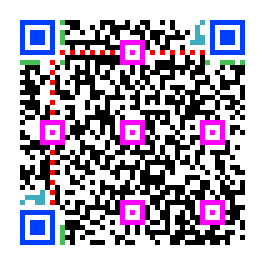
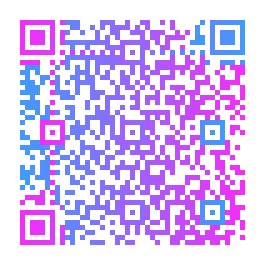
Wait, what was that? Please again, slower!
Advanced usage
Ok, step by step. First you'll need a QRCode instance, which can be optionally invoked with a QROptions (or a SettingsContainerInterface, respectively) object as the only parameter.
$options = new QROptions([
	'version'    => 5,
	'outputType' => QRCode::OUTPUT_MARKUP_SVG,
	'eccLevel'   => QRCode::ECC_L,
]);

// invoke a fresh QRCode instance
$qrcode = new QRCode($options);

// and dump the output
$qrcode->render($data);

// ...with additional cache file
$qrcode->render($data, '/path/to/file.svg');
In case you just want the raw QR code matrix, call QRCode::getMatrix() - this method is also called internally from QRCode::render(). See also Custom output modules.
$matrix = $qrcode->getMatrix($data);

foreach($matrix->matrix() as $y => $row){
	foreach($row as $x => $module){

		// get a module's value
		$value = $module;
		$value = $matrix->get($x, $y);

		// boolean check a module
		if($matrix->check($x, $y)){ // if($module >> 8 > 0)
			// do stuff, the module is dark
		}
		else{
			// do other stuff, the module is light
		}

	}
}
Have a look in this folder for some more usage examples.
Custom module values
Previous versions of QRCode held only boolean matrix values that only allowed to determine whether a module was dark or not. Now you can distinguish between different parts of the matrix, namely the several required patterns from the QR Code specification, and use them in different ways.
The dark value is the module (light) value shifted by 8 bits to the left: $value = $M_TYPE << ($bool ? 8 : 0);, where $M_TYPE is one of the QRMatrix::M_* constants.
You can check the value for a type explicitly like...
// for true (dark)
$value >> 8 === $M_TYPE;

//for false (light)
$value === $M_TYPE;
...or you can perform a loose check, ignoring the module value
// for true
$value >> 8 > 0;

// for false
$value >> 8 === 0
See also QRMatrix::set(), QRMatrix::check() and QRMatrix constants.
To map the values and properly render the modules for the given QROutputInterface, it's necessary to overwrite the default values:
$options = new QROptions;

// for HTML, SVG and ImageMagick
$options->moduleValues = [
	// finder
	1536 => '#A71111', // dark (true)
	6    => '#FFBFBF', // light (false)
	// alignment
	2560 => '#A70364',
	10   => '#FFC9C9',
	// timing
	3072 => '#98005D',
	12   => '#FFB8E9',
	// format
	3584 => '#003804',
	14   => '#00FB12',
	// version
	4096 => '#650098',
	16   => '#E0B8FF',
	// data
	1024 => '#4A6000',
	4    => '#ECF9BE',
	// darkmodule
	512  => '#080063',
	// separator
	8    => '#AFBFBF',
	// quietzone
	18   => '#FFFFFF',
];

// for the image output types
$options->moduleValues = [
	512  => [0, 0, 0],
	// ...
];

// for string/text output
$options->moduleValues = [
	512  => '#',
	// ...
];
Custom QROutputInterface
Instead of bloating your code you can simply create your own output interface by extending QROutputAbstract. Have a look at the built-in output modules.
class MyCustomOutput extends QROutputAbstract{

	// inherited from QROutputAbstract
	protected $matrix;      // QRMatrix
	protected $moduleCount; // modules QRMatrix::size()
	protected $options;     // MyCustomOptions or QROptions
	protected $scale;       // scale factor from options
	protected $length;      // length of the matrix ($moduleCount * $scale)

	// ...check/set default module values (abstract method, called by the constructor)
	protected function setModuleValues():void{
		// $this->moduleValues = ...
	}

	// QROutputInterface::dump()
	public function dump(string $file = null):string{
		$output = '';

		for($row = 0; $row < $this->moduleCount; $row++){
			for($col = 0; $col < $this->moduleCount; $col++){
				$output .= (int)$this->matrix->check($col, $row);
			}
		}

		return $output;
	}

}
In case you need additional settings for your output module, just extend QROptions...
class MyCustomOptions extends QROptions{
	protected $myParam = 'defaultValue';

	// ...
}
...or use the SettingsContainerInterface, which is the more flexible approach.
trait MyCustomOptionsTrait{
	protected $myParam = 'defaultValue';

	// ...
}
set the options:
$myOptions = [
	'version'         => 5,
	'eccLevel'        => QRCode::ECC_L,
	'outputType'      => QRCode::OUTPUT_CUSTOM,
	'outputInterface' => MyCustomOutput::class,
	// your custom settings
	'myParam'         => 'whatever value',
 ];

// extends QROptions
$myCustomOptions = new MyCustomOptions($myOptions);

// using the SettingsContainerInterface
$myCustomOptions = new class($myOptions) extends SettingsContainerAbstract{
	use QROptionsTrait, MyCustomOptionsTrait;
};
You can then call QRCode with the custom modules...
(new QRCode($myCustomOptions))->render($data);
...or invoke the QROutputInterface manually.
$qrOutputInterface = new MyCustomOutput($myCustomOptions, (new QRCode($myCustomOptions))->getMatrix($data));

//dump the output, which is equivalent to QRCode::render()
$qrOutputInterface->dump();
API
QRCode methods
| method | return | description |
|---|---|---|
__construct(QROptions $options = null) |
- | see SettingsContainerInterface |
render(string $data, string $file = null) |
mixed, QROutputInterface::dump() |
renders a QR Code for the given $data and QROptions, saves $file optional |
getMatrix(string $data) |
QRMatrix |
returns a QRMatrix object for the given $data and current QROptions |
initDataInterface(string $data) |
QRDataInterface |
returns a fresh QRDataInterface for the given $data |
isNumber(string $string) |
bool | checks if a string qualifies for Number |
isAlphaNum(string $string) |
bool | checks if a string qualifies for AlphaNum |
isKanji(string $string) |
bool | checks if a string qualifies for Kanji |
QRCode constants
| name | description |
|---|---|
VERSION_AUTO |
QROptions::$version |
MASK_PATTERN_AUTO |
QROptions::$maskPattern |
OUTPUT_MARKUP_SVG, OUTPUT_MARKUP_HTML |
QROptions::$outputType markup |
OUTPUT_IMAGE_PNG, OUTPUT_IMAGE_JPG, OUTPUT_IMAGE_GIF |
QROptions::$outputType image |
OUTPUT_STRING_JSON, OUTPUT_STRING_TEXT |
QROptions::$outputType string |
OUTPUT_IMAGICK |
QROptions::$outputType ImageMagick |
OUTPUT_CUSTOM |
QROptions::$outputType, requires QROptions::$outputInterface |
ECC_L, ECC_M, ECC_Q, ECC_H, |
ECC-Level: 7%, 15%, 25%, 30% in QROptions::$eccLevel |
DATA_NUMBER, DATA_ALPHANUM, DATA_BYTE, DATA_KANJI |
QRDataInterface::$datamode |
QROptions properties
| property | type | default | allowed | description |
|---|---|---|---|---|
$version |
int | QRCode::VERSION_AUTO |
1...40 | the QR Code version number |
$versionMin |
int | 1 | 1...40 | Minimum QR version (if $version = QRCode::VERSION_AUTO) |
$versionMax |
int | 40 | 1...40 | Maximum QR version (if $version = QRCode::VERSION_AUTO) |
$eccLevel |
int | QRCode::ECC_L |
QRCode::ECC_X |
Error correct level, where X = L (7%), M (15%), Q (25%), H (30%) |
$maskPattern |
int | QRCode::MASK_PATTERN_AUTO |
0...7 | Mask Pattern to use |
$addQuietzone |
bool | true |
- | Add a "quiet zone" (margin) according to the QR code spec |
$quietzoneSize |
int | 4 | clamped to 0 ... $matrixSize / 2 |
Size of the quiet zone |
$outputType |
string | QRCode::OUTPUT_IMAGE_PNG |
QRCode::OUTPUT_* |
built-in output type |
$outputInterface |
string | null |
* | FQCN of the custom QROutputInterface if QROptions::$outputType is set to QRCode::OUTPUT_CUSTOM |
$cachefile |
string | null |
* | optional cache file path |
$eol |
string | PHP_EOL |
* | newline string (HTML, SVG, TEXT) |
$scale |
int | 5 | * | size of a QR code pixel (SVG, IMAGE_*), HTML -> via CSS |
$cssClass |
string | null |
* | a common css class |
$svgOpacity |
float | 1.0 | 0...1 | |
$svgDefs |
string | * | * | anything between <defs> |
$svgViewBoxSize |
int | null |
* | a positive integer which defines width/height of the viewBox attribute |
$textDark |
string | '🔴' | * | string substitute for dark |
$textLight |
string | '⭕' | * | string substitute for light |
$markupDark |
string | '#000' | * | markup substitute for dark (CSS value) |
$markupLight |
string | '#fff' | * | markup substitute for light (CSS value) |
$imageBase64 |
bool | true |
- | whether to return the image data as base64 or raw like from file_get_contents() |
$imageTransparent |
bool | true |
- | toggle transparency (no jpeg support) |
$imageTransparencyBG |
array | [255, 255, 255] |
[R, G, B] |
the RGB values for the transparent color, see imagecolortransparent() |
$pngCompression |
int | -1 | -1 ... 9 | imagepng() compression level, -1 = auto |
$jpegQuality |
int | 85 | 0 - 100 | imagejpeg() quality |
$imagickFormat |
string | 'png' | * | ImageMagick output type, see Imagick::setType() |
$imagickBG |
string | null |
* | ImageMagick background color, see ImagickPixel::__construct() |
$moduleValues |
array | null |
* | Module values map, see Custom output modules and QROutputInterface::DEFAULT_MODULE_VALUES |
QRMatrix methods
| method | return | description |
|---|---|---|
__construct(int $version, int $eclevel) |
- | - |
matrix() |
array | the internal matrix representation as a 2 dimensional array |
version() |
int | the current QR Code version |
eccLevel() |
int | current ECC level |
maskPattern() |
int | the used mask pattern |
size() |
int | the absoulute size of the matrix, including quiet zone (if set). $version * 4 + 17 + 2 * $quietzone |
get(int $x, int $y) |
int | returns the value of the module |
set(int $x, int $y, bool $value, int $M_TYPE) |
QRMatrix |
sets the $M_TYPE value for the module |
check(int $x, int $y) |
bool | checks whether a module is true (dark) or false (light) |
QRMatrix constants
| name | light (false) | dark (true) | description |
|---|---|---|---|
M_NULL |
0 | - | module not set (should never appear. if so, there's an error) |
M_DARKMODULE |
- | 512 | once per matrix at $xy = [8, 4 * $version + 9] |
M_DATA |
4 | 1024 | the actual encoded data |
M_FINDER |
6 | 1536 | the 7x7 finder patterns |
M_SEPARATOR |
8 | - | separator lines around the finder patterns |
M_ALIGNMENT |
10 | 2560 | the 5x5 alignment patterns |
M_TIMING |
12 | 3072 | the timing pattern lines |
M_FORMAT |
14 | 3584 | format information pattern |
M_VERSION |
16 | 4096 | version information pattern |
M_QUIETZONE |
18 | - | margin around the QR Code |
M_LOGO |
20 | - | space for a logo image (not used yet) |
M_TEST |
255 | 65280 | test value |
Notes
The QR encoder, especially the subroutines for mask pattern testing, can cause high CPU load on increased matrix size.
You can avoid a part of this load by choosing a fast output module, like OUTPUT_IMAGE_* and setting the mask pattern manually (which may result in unreadable QR Codes).
Oh hey and don't forget to sanitize any user input!
Disclaimer!
I don't take responsibility for molten CPUs, misled applications, failed log-ins etc.. Use at your own risk!
Trademark Notice
The word "QR Code" is registered trademark of DENSO WAVE INCORPORATED
http://www.denso-wave.com/qrcode/faqpatent-e.html
xsuchy09/php-qrcode 适用场景与选型建议
xsuchy09/php-qrcode 是一款 基于 PHP 开发的 Composer 扩展包,目前已累计 8.51k 次下载、GitHub Stars 达 0, 最近一次更新时间为 2019 年 08 月 29 日, 在 PHP 生态内属于活跃度较高的组件。
它主要适用于以下技术方向: 「qr code」 「qrcode」 「qr」 「phpqrcode」 「qrcode-generator」 等业务场景。在实际项目中,围绕这些方向常见需要落地的问题包括:接口对接、性能调优、并发安全、与既有框架(Laravel / ThinkPHP / Yii / Webman 等)的兼容适配,以及生产环境的日志埋点与稳定性保障。
我们在过去多个企业项目中使用过 xsuchy09/php-qrcode 或与其功能相近的方案,如果你在选型或落地过程中遇到问题,例如 版本兼容、二次改造、私有化封装、与内部系统对接、生产 BUG 排查,欢迎联系我们协助评估。
基于 xsuchy09/php-qrcode 在你已有业务上做功能扩展、字段裁剪、UI 适配、与内部账号 / 权限 / 日志系统的深度对接。
线上偶发问题、内存泄漏、慢查询、并发异常等排查修复;针对高流量场景做缓存、队列、索引层面的调优。
承接完整的项目从需求 → 设计 → 开发 → 上线 → 长期运维;也可按月提供技术保姆服务。
与 xsuchy09/php-qrcode 相关的其它包
同方向 / 同关键字的高下载量 PHP Composer 包推荐,方便对比选型:
Memio's PrettyPrinter, used to generate PHP code from given Model
Based in http://phpqrcode.sourceforge.net/
Symfony 4, 5, 6 ,7 Barcode Generator Bundle with Twig function extension
The libs integration for the Yii framework
Generates QR Codes
The jquery qrcode for yii2.
统计信息
- 总下载量: 8.51k
- 月度下载量: 0
- 日度下载量: 0
- 收藏数: 0
- 点击次数: 10
- 依赖项目数: 0
- 推荐数: 0
其他信息
- 授权协议: MIT
- 更新时间: 2019-08-29