digitalpulsebe/craft-database-translations
最新稳定版本:3.4.3
Composer 安装命令:
composer require digitalpulsebe/craft-database-translations
包简介
Manage Craft i18n translations and store in database
README 文档
README
Manage Craft i18n translations and store in database

Requirements
This plugin requires Craft CMS 3.7 or later.
Installation
To install the plugin, follow these instructions.
-
Open your terminal and go to your Craft project:
cd /path/to/project -
Then tell Composer to load the plugin:
composer require digitalpulsebe/craft-database-translations -
In the Control Panel, go to Settings → Plugins and click the “Install” button for Database Translations.
Configuring Database Translations
Configure options in the Craft control panel or create a file in config/database-translations.php as a copy of config.php.

Configure the translation categories
Only the categories defined in the settings will be translated.
Map languages
Do you need to use the same translated values for different languages (for example different regions nl-BE and nl-NL)? You can map one language to another.
This might also be useful to provide translations for admin user in the control panel.
Trim spaces
Trim spaces at begin or ending of values when they are saved.
Add missing translations
When a new unknown translation is used while rendering templates, an event is triggered. Handling this event is optional. A new empty translation row will be added for the missing message.
Copy Entry bulk action
Enable this feature
Importing translations

Apart from the automatic missing translations' event, there are four ways of adding message rows in the database:
-
Create one manually
Just enter the new message key and category to add an empty row
-
Parse twig templates
Twig files are processed to find usage of the |t filter. The found results are listed in a review-step, select the rows you want to add to the database.
-
Import CSV files
Import CSV files. Map the columns.
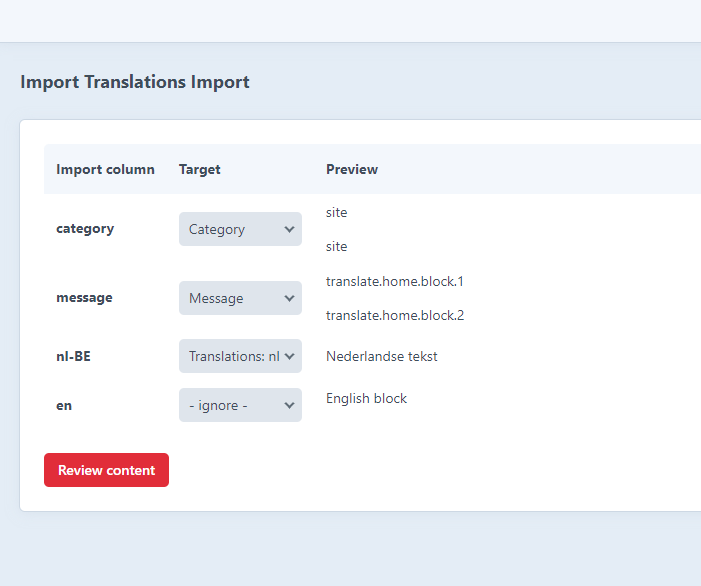
The found results are listed in a review-step, select the rows you want to add to the database.
-
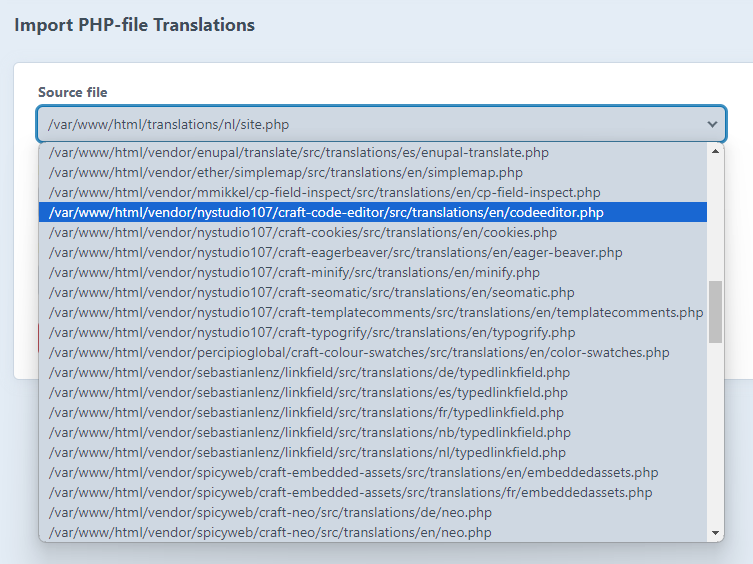
Parse php translation files
The native translation files in ./translations folder can be mapped to database rows. The found results are listed in a review-step, select the rows you want to add to the database. You can even import files from plugins in the vendor folder.


Exporting
- Export all the rows using the export tab
- Or, in the overview table, select the rows and languages to export
- as csv file
- as a content migration file
Migration file export
The advantage of exporting to a migration file is that your content can be pushed to git and then the server when deploying. The migration file adds the rows to your database when craft up or craft migrate/all is executed.
Manage translations

Copy entries in bulk action
To enable this functionality both enable this in the settings and set the permission for the user ("Copy content bulk action").
You can now select Entries in the index table, and select the bulk action. The content will be copied over to the other site in a queue job.

统计信息
- 总下载量: 1.96k
- 月度下载量: 0
- 日度下载量: 0
- 收藏数: 2
- 点击次数: 3
- 依赖项目数: 0
- 推荐数: 0
其他信息
- 授权协议: MIT
- 更新时间: 2023-12-18