interactively/media-manager
Composer 安装命令:
composer require interactively/media-manager
包简介
A Media Manager Built With Vuejs & Laravel
README 文档
README
Laravel Media Manager





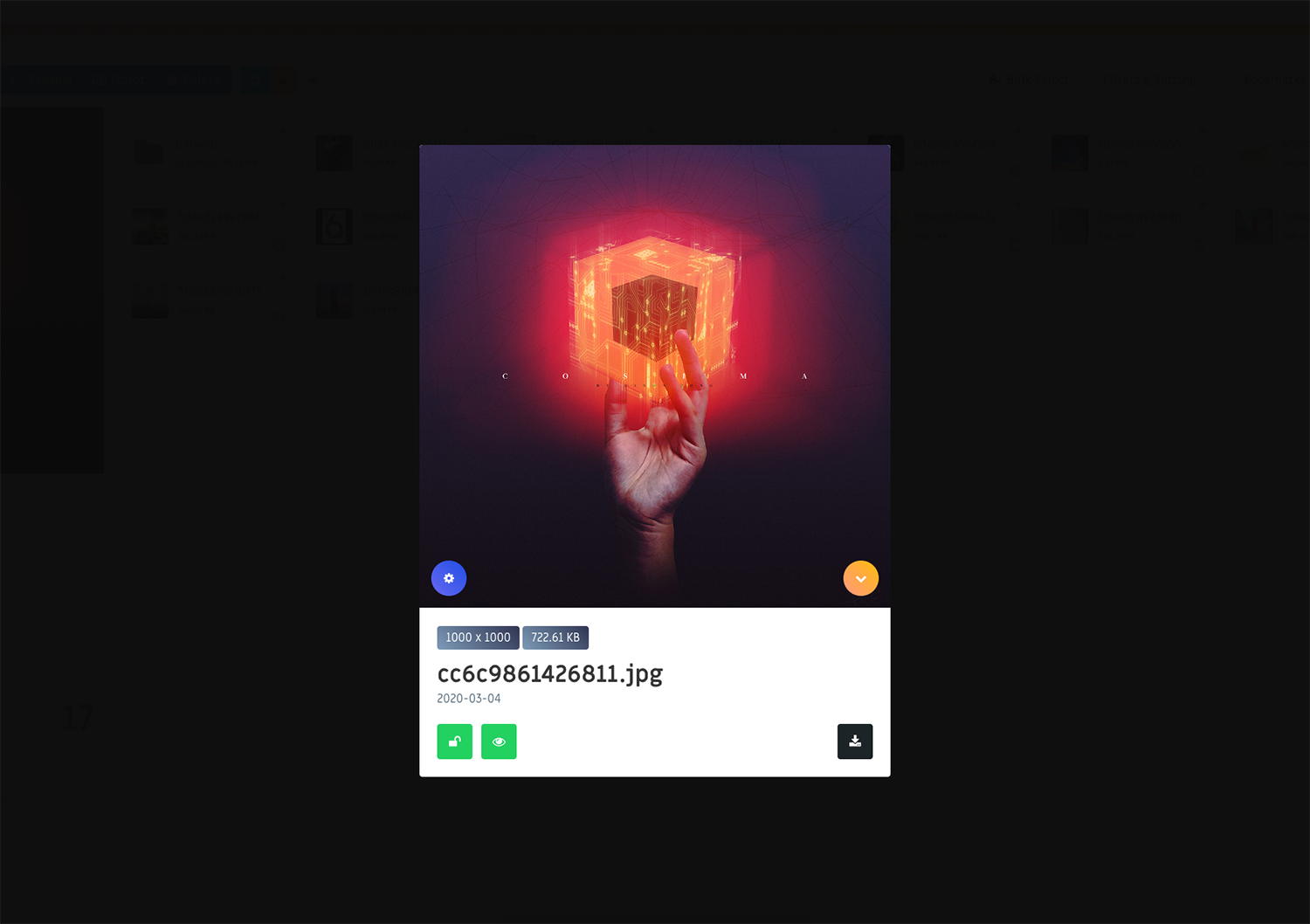
Installation
-
composer require ctf0/media-manager -
publish the package assets with
php artisan vendor:publish --provider="ctf0\MediaManager\MediaManagerServiceProvider" -
after installation, run
php artisan lmm:setupto add- package routes to
routes/web.php - package assets compiling to
webpack.mix.js
- package routes to
-
for lock/unlock item/s we use a db "sqlite" but if you prefer to use something else you should run the migration
php artisan migrate
-
yarn add vue vue-ls vue-infinite-loading vue-image-compare2 vue-tippy@v2 vue2-filters vue-input-autowidth vue-notif vue-clipboard2 vue-awesome vue-touch@next vue-focuspoint-component axios dropzone cropperjs keycode lottie-web plyr fuse.js music-metadata-browser idb-keyval annyang
yarn add buffer process --dev
-
add this one liner to your main js file and run
npm run watchto compile yourjs/cssfiles.- if you are having issues Check.
- also check mix v6 notes
// app.js

// mix v5
window.Vue = require('vue')

// mix v6
import Vue from 'vue'

require('../assets/vendor/MediaManager/js/manager')

new Vue({
    el: '#app'
})
Config
Features
- image editor
- multi
- upload
- move/copy
- delete
- upload by either
- using the upload panel
- drag & drop anywhere
- click & hold on an empty area "items container"
- from a url "images only"
- preview files before uploading
- toggle between
random/originalnames for uploaded files - asynchronous Updates
- bulk selection
- bookmark visited directories for quicker navigation
- change item/s visibility
- update the page url on navigation
- show audio files info "artist, album, year, etc.."
- dynamically hide files / folders
- restrict access to path
- download selected "including bulk selection"
- directly copy selected file link
- use the manager
- auto scroll to selected item using "left, up, right, down, home, end"
- lock/unlock item/s.
- search in the current directory or globally through the entire collection.
- filter by
- folder
- image
- audio
- video
- text/pdf
- application/archive
- locked items
- selected items
- sort by
- name
- size
- last modified
- items count for
- all
- selected
- search found
- contents ratio bar
- protection against overwriting (files/folders)
- file name sanitization for
- upload
- rename
- new folder
- disable/enable buttons depend on the usage to avoid noise & keep the user focused
- shortcuts / gestures
- if no more rows available, pressing
downwill go to the last item in the list "same as native file manager". - when viewing a
audio/videofile in the preview card, pressingspacewill play/pause the item instead of closing the modal. - dbl click/tap
- any file of type
audio/videowhen sidebar is hidden, will open it in the preview card "same as images". - any file of type
application/archivewill download it.
- any file of type
- all the left/right gestures have their counterparts available as well.
- pressing
escwhile using the image editor wont close the modal but you can dbl click/tap themodal backgroundto do so. "to avoid accidentally canceling your changes".
- if no more rows available, pressing
- the info sidebar is only available on big screens "> 1023px".
- to stop interfering with otherkeydownevents you can toggle the manager listener through
EventHub.fire('disable-global-keys', true/false).
| navigation | button | keyboard | click / tap | touch |
|---|---|---|---|---|
| toggle upload panel (toolbar) | u | |||
| refresh (toolbar) | r | hold "clear cache" | pinch in (items container) | |
| move/show movable list (toolbar) | m / p | |||
| image editor (toolbar) | e | |||
| delete (toolbar) | d / del | |||
| lock/unlock (toolbar) | l | hold "anything but images" | ||
| change visibility (toolbar) | v | |||
| toggle bulk selection (toolbar) | b | |||
| (reset) bulk select all (toolbar) | a | |||
| add to movable list (shopping cart) | c / x | * | ||
| move/show movable list (shopping cart) | ** | |||
| clear movable list (shopping cart) | hold | |||
| toggle sidebar (path bar) | t | * | swipe left/right (sidebar) | |
| confirm (modal) | enter | |||
| toggle preview image/pdf/text (item) | space | ** | ||
| play/pause media (item) | space | ** | ||
| hide (modal / upload-panel) | esc | |||
| reset (search / bulk selection / filter / sorting) | esc | |||
| reset upload showPreview | esc | |||
| confirm upload showPreview | enter | |||
| add to movable list (item) | swipe up | |||
| delete (item) | swipe down | |||
| rename (item) | swipe left | |||
| image editor (item) | hold | |||
| current ++ selected (item) | shift + click | |||
| current + selected (item) | alt/meta + click | |||
| create new folder | ** (items container) | |||
| go to next "item" | right | * | swipe left (preview) | |
| go to prev "item" | left | * | swipe right (preview) | |
| go to first "item" | home | |||
| go to last "item" | end | |||
| go to next "row" | down | swipe up (preview) | ||
| go to prev "row" | up | swipe down (preview) | ||
| open folder | enter | ** | ||
| go to prev "dir" | folderName (path bar) | backspace | * | swipe right (items container) |
Events
| type | event-name | description |
|---|---|---|
| JS | ||
| modal-show | when modal is shown | |
| modal-hide | when modal is hidden | |
| file_selected (when inside modal) | get selected file url | |
| multi_file_selected (when inside modal) | get bulk selected files urls | |
| folder_selected (when inside modal) | get selected folder path | |
| Laravel | ||
| MMFileUploaded($file_path, $mime_type, $options) | get uploaded file storage path, mime type, custom options | |
| MMFileSaved($file_path, $mime_type) | get saved (edited/link) image full storage path, mime type | |
| MMFileDeleted($file_path, $is_folder) | get deleted file/folder storage path, if removed item is a folder | |
| MMFileRenamed($old_path, $new_path) | get renamed file/folder "old & new" storage path | |
| MMFileMoved($old_path, $new_path) | get moved file/folder "old & new" storage path |
Usage
- visit
localhost:8000/media
Security
If you discover any security-related issues, please email ctf0-dev@protonmail.com.
interactively/media-manager 适用场景与选型建议
interactively/media-manager 是一款 基于 JavaScript 开发的 Composer 扩展包,目前已累计 1.49k 次下载、GitHub Stars 达 0, 最近一次更新时间为 2025 年 02 月 27 日, 在 PHP 生态内属于活跃度较高的组件。
它主要适用于以下技术方向: 「media」 「manager」 「gui」 「laravel」 「mediamanager」 「ctf0」 等业务场景。在实际项目中,围绕这些方向常见需要落地的问题包括:接口对接、性能调优、并发安全、与既有框架(Laravel / ThinkPHP / Yii / Webman 等)的兼容适配,以及生产环境的日志埋点与稳定性保障。
我们在过去多个企业项目中使用过 interactively/media-manager 或与其功能相近的方案,如果你在选型或落地过程中遇到问题,例如 版本兼容、二次改造、私有化封装、与内部系统对接、生产 BUG 排查,欢迎联系我们协助评估。
基于 interactively/media-manager 在你已有业务上做功能扩展、字段裁剪、UI 适配、与内部账号 / 权限 / 日志系统的深度对接。
线上偶发问题、内存泄漏、慢查询、并发异常等排查修复;针对高流量场景做缓存、队列、索引层面的调优。
承接完整的项目从需求 → 设计 → 开发 → 上线 → 长期运维;也可按月提供技术保姆服务。
与 interactively/media-manager 相关的其它包
同方向 / 同关键字的高下载量 PHP Composer 包推荐,方便对比选型:
GUI for PHP's OpCache
The file manager intended for using Laravel with CKEditor / TinyMCE / Colorbox
Simple Sharing generates social media share links within CP entry pages, allowing you to quickly & easily share entries.
GUI to analyze the profiling data collected using XHProf - A Hierarchical Profiler for PHP.
Composer personal web interface. Manage Laravel dependencies without switching to command line!
Laravel Media Popup to upload/view the files
统计信息
- 总下载量: 1.49k
- 月度下载量: 0
- 日度下载量: 0
- 收藏数: 0
- 点击次数: 1
- 依赖项目数: 0
- 推荐数: 0
其他信息
- 授权协议: MIT
- 更新时间: 2025-02-27