kenepa/translation-manager
最新稳定版本:5.0.2
Composer 安装命令:
composer require kenepa/translation-manager
包简介
Manage your application's translation strings in Filament.
README 文档
README

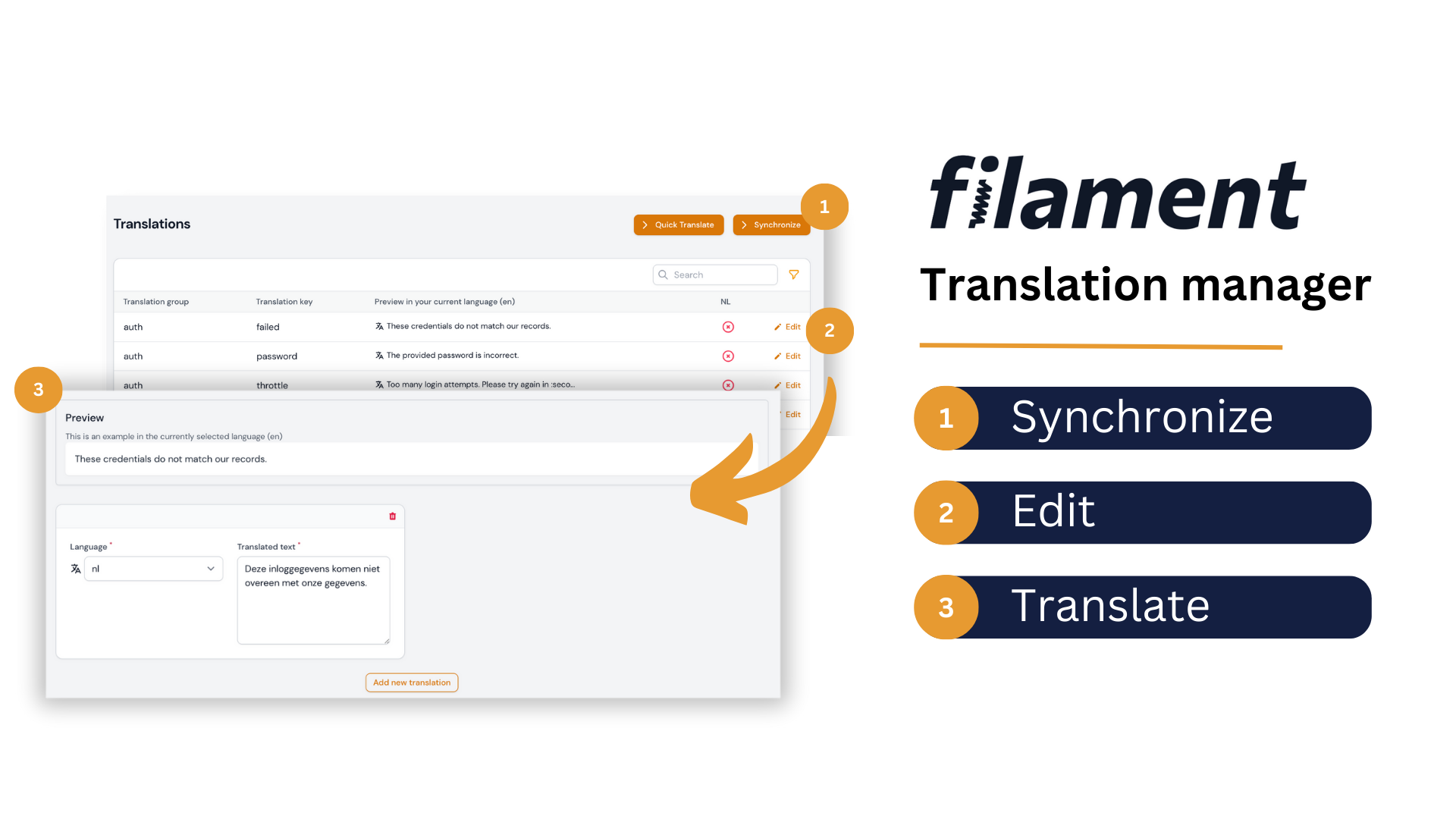
Introducing our Filament translation management tool, which allows you to easily manage, preview, and sync translations with your language files all within your Filament admin dashboard. Say goodbye to relying on developers to edit language files and streamline your localization workflow today.
Installation
You can install the package via composer:
Install via Composer.
| Plugin Version | Filament Version | PHP Version |
|---|---|---|
| <= 3.x | 2.x | > 8.0 |
| 4.x | 3.x | > 8.1 |
| 5.x | 4.x | > 8.2 |
composer require kenepa/translation-manager
This package uses spatie/laravel-translation-loader, publish their migration file using:
php artisan vendor:publish --provider="Spatie\TranslationLoader\TranslationServiceProvider" --tag="translation-loader-migrations"
php artisan migrate
You have to update the migration file to the following:
Schema::create('language_lines', function (Blueprint $table) {
    $table->bigIncrements('id');
    $table->string('group')->index();
    $table->string('key')->index();
    $table->json('text')->default(new \Illuminate\Database\Query\Expression('(JSON_ARRAY())'));
    $table->timestamps();
});
Finally, run the migration.
Custom Theme Required
In order to compile the package views correctly, we need to create a custom Filament theme first, and then add the following path to its content. In the theme.css file of the theme, add the following line:
@source '../../../../vendor/kenepa/translation-manager/resources/**/*.blade.php';
Register the plugin with a panel
use Kenepa\TranslationManager\TranslationManagerPlugin;
use Filament\Panel;

class AdminPanelProvider extends PanelProvider
{
    public function panel(Panel $panel): Panel
    {
        return $panel
            // ...
            ->plugin(TranslationManagerPlugin::make());
    }
}
Configuration
From version 5.x onwards, the main configuration is done through the plugin class. The traditional config file is still supported for compatibility, but all new configurations should be done through the plugin.
Plugin Configuration
Configure the plugin using fluent method chaining:
use Kenepa\TranslationManager\TranslationManagerPlugin;

TranslationManagerPlugin::make()
    ->availableLocales([
        ['code' => 'en', 'name' => 'English', 'flag' => 'gb'],
        ['code' => 'nl', 'name' => 'Nederlands', 'flag' => 'nl'],
        ['code' => 'fr', 'name' => 'Français', 'flag' => 'fr'],
        ['code' => 'de', 'name' => 'Deutsch', 'flag' => 'de'],
    ])
    ->languageSwitcher(true)
    ->languageSwitcherRenderHook('panels::user-menu.before')
    ->navigationGroup('Settings')
    ->navigationIcon('heroicon-o-globe-alt')
    ->showFlags(true)
    ->disableKeyAndGroupEditing(false)
    ->quickTranslateNavigationRegistration(true)
    ->dontRegisterNavigationOnPanelIds(['guest'])
    ->prependDirectoryPathToGroupName(false)
Available Configuration Methods
availableLocales(array $locales)- Set available application localesdisableKeyAndGroupEditing(bool $disable = true)- Control key/group editinglanguageSwitcher(bool $enable = true)- Enable/disable language switcherlanguageSwitcherRenderHook(string $hook)- Set render hook for language switchernavigationGroupTranslationKey(?string $key)- Set navigation group translation keynavigationGroup(?string $group)- Set navigation groupcluster(?string $cluster)- Set clusternavigationIcon(mixed $icon)- Set navigation icon (supportsfalseto disable)quickTranslateNavigationRegistration(bool $register = true)- Control quick translate navigationdontRegisterNavigationOnPanelIds(array $panelIds)- Exclude panels from navigationshowFlags(bool $show = true)- Show flags in language switcherprependDirectoryPathToGroupName(bool $prepend = true)- Control group naming
Config File
You can run the following command to publish the configuration file:
php artisan vendor:publish --tag=translation-manager-config
Authorization
By default, the translation manager cannot be used by anyone. You need to define the following gate in your AppServiceProvider boot method:
// app/Providers/AppServiceProvider.php

use Illuminate\Support\Facades\Gate;

/**
 * Bootstrap any application services.
 */
public function boot(): void
{
    Gate::define('use-translation-manager', function (?User $user) {
        // Your authorization logic
        return $user !== null && $user->hasRole('admin');
    });
}
If you want to learn more about gates, check out the official documentation.
Legacy Configuration Examples
available_locales
Determines which locales your application supports. For example:
'available_locales' => [
    ['code' => 'en', 'name' => 'English', 'flag' => 'gb'],
    ['code' => 'nl', 'name' => 'Nederlands', 'flag' => 'nl'],
    ['code' => 'de', 'name' => 'Deutsch', 'flag' => 'de']
]
language_switcher
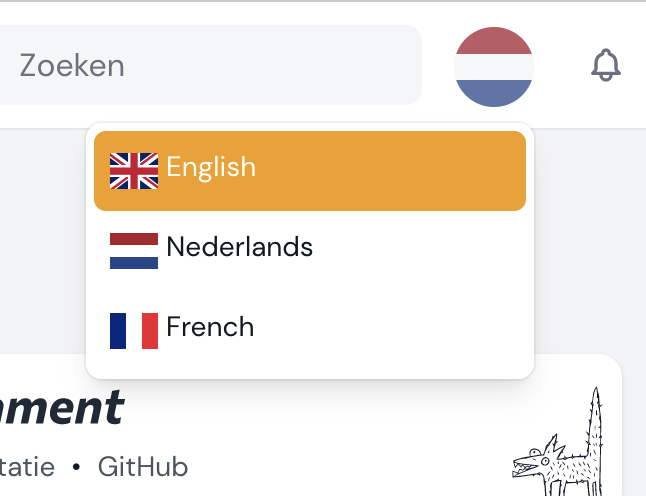
Enable or disable the language switcher feature. This allows users to switch their language - disable if you have your own implementation.
dont_register_navigation_on_panel_ids
Disable registering the translation manager navigation on certain panel IDs. The following will disable the translation navigation for the guest panel but still allow guest panel users to change the language.
    'dont_register_navigation_on_panel_ids' => [
        'guest'
    ],
Adding to cluster
Example of adding the translation manager to a cluster:
// config/translation-manager.php
[
  // ...Other config
 'cluster' => \App\Filament\Clusters\Products::class,
]
Usage
Once installed, the Translation Manager can be accessed via the Filament sidebar menu. Simply click on the "Translation Manager" link to access the translation management screen.
Upgrade Guide
Upgrading from 4.x to 5.x
Version 5.x introduces Filament v4 support and a new plugin-based configuration system. Follow these steps to upgrade:
Prerequisites
- PHP: Upgrade to PHP 8.2+
- Filament: Upgrade to Filament 4.x
Step 1: Theme Configuration (Required)
Breaking Change: Filament v4 requires a different approach for including package assets.
Remove from tailwind.config.js (if present):
// Remove this from your tailwind.config.js content array:
'./vendor/kenepa/translation-manager/resources/**/*.blade.php'
Add to your custom theme CSS file:
- Create a custom theme if you don't have one (Filament v4 theme docs)
- Add this line to your theme's CSS file:
@source '../../../../vendor/kenepa/translation-manager/resources/**/*.blade.php';
Step 2: Migrate Configuration (Recommended)
Migrate your config file settings to the plugin configuration:
// In your AdminPanelProvider.php
use Kenepa\TranslationManager\TranslationManagerPlugin;

public function panel(Panel $panel): Panel
{
    return $panel
        ->plugin(
            TranslationManagerPlugin::make()
                ->availableLocales([
                    ['code' => 'en', 'name' => 'English', 'flag' => 'gb'],
                    ['code' => 'nl', 'name' => 'Nederlands', 'flag' => 'nl'],
                    ['code' => 'fr', 'name' => 'Français', 'flag' => 'fr'],
                ])
                ->languageSwitcher(true)
                ->languageSwitcherRenderHook('panels::user-menu.before')
                ->navigationGroup('Settings')
                ->navigationIcon('heroicon-o-globe-alt')
                ->showFlags(true)
                ->disableKeyAndGroupEditing(false)
                ->quickTranslateNavigationRegistration(true)
                ->dontRegisterNavigationOnPanelIds(['guest'])
        );
}
License
The MIT License (MIT). Please see License File for more information.
统计信息
- 总下载量: 69.96k
- 月度下载量: 0
- 日度下载量: 0
- 收藏数: 144
- 点击次数: 2
- 依赖项目数: 2
- 推荐数: 0
其他信息
- 授权协议: MIT
- 更新时间: 未知