sarfraznawaz2005/meter
最新稳定版本:1.3.0
Composer 安装命令:
composer require sarfraznawaz2005/meter
包简介
laravel package to find performance bottlenecks in your laravel application.
README 文档
README
Laravel Meter
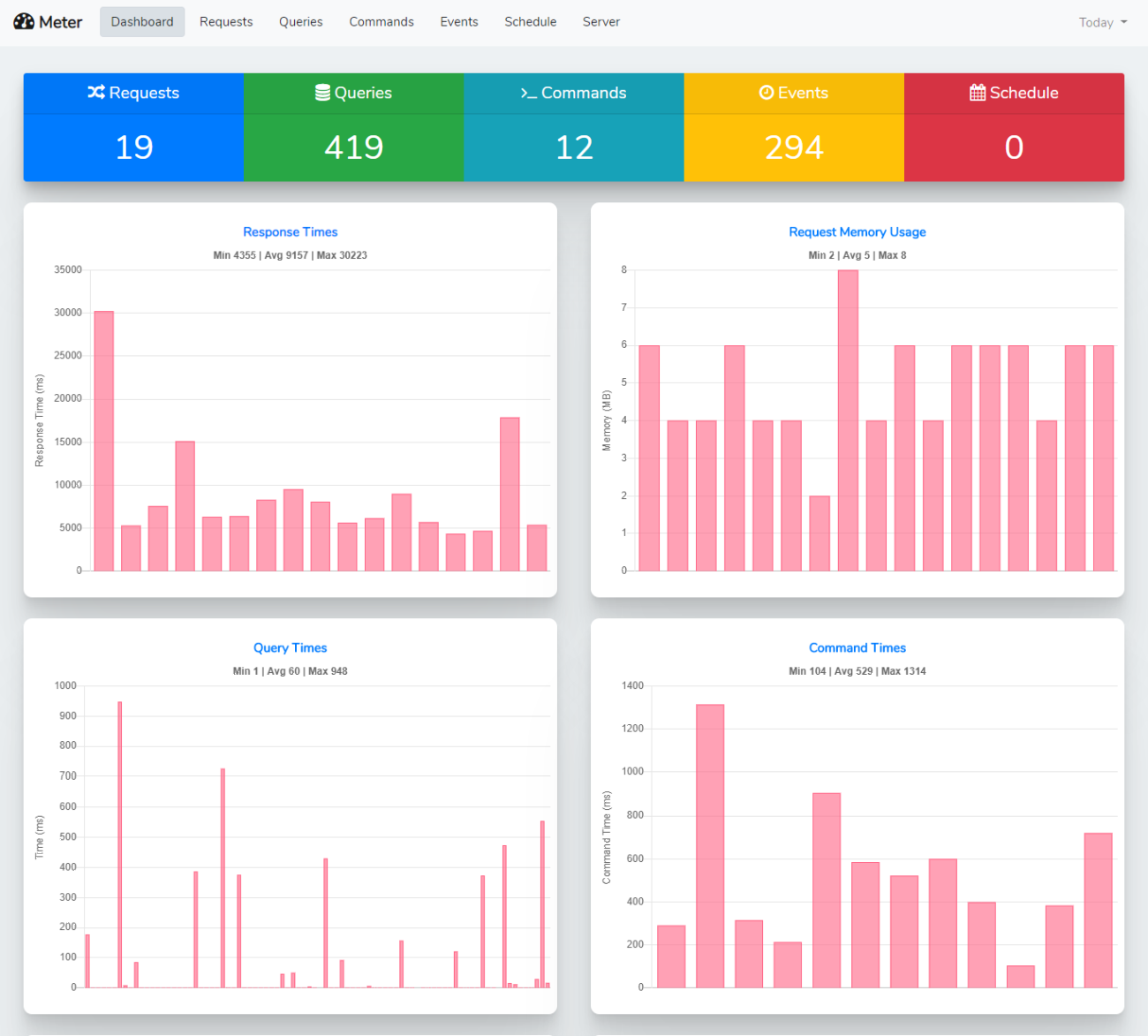
Laravel Meter monitors application performance for different things such as requests, commands, queries, events, etc and presents results in tables/charts. Think of it like Laravel Telescope but for performance monitoring.
Requirements
- PHP >= 7.3
- Laravel 5.5+ | 6
Configuration
Available options are:
- METER_DB_CONNECTION
Database connection to use for meter entries. Default: mysql (uses default connection) - METER_PATH
Path to access meter UI. Default: meter - METER_USERNAME
Username to access meter UI. Default: null - METER_PASSWORD
Password to access meter UI. Default: null - ignore_matched_string
It helps to ignore the matched string in the query. Ex:
"ignore_matched_string" => [
       "query" => [
           "information_schema",
       ]

   ],
There are more options available, please check config/meter.php file for more details.
Monitors
- Requests
- Queries
- Commands
- Events
- Schedule
- CPU Load
- Disk Space
- Server Memory
- HTTP Connections
Screenshot
Installation
Install via composer
composer require sarfraznawaz2005/meter
Publish package's config file by running below command:
php artisan vendor:publish --provider="Sarfraznawaz2005\Meter\MeterServiceProvider"
It should publish config/meter.php config file and migration file.
Now run php artisan migrate command to create meter_entries database table.
Usage
Enable Meter in config/meter.php and setup any other options as needed. Meter UI will be visible at path config you set.
By default Meter monitors:
- Requests
- Queries
- Commands
- Events
- Schedule
To monitor server stuff:
- CPU Load
- Disk Space
- Server Memory
- HTTP Connections
You should use meter:servermonitor command. Schedule it in Laravel's console kernel file accordingly:
// app/Console/Kernel.php
protected function schedule(Schedule $schedule)
{
    $schedule->command('meter:servermonitor')->hourly(); // or daily
}
Authentication
You can use username and password config options to setup basic HTTP authentication for Meter interface to be accessed. Once setup, user should provide correct username and password to access Meter page(s).
Alternatively, you can use middleware config option to apply your own auth middleware, etc
Ignoring Things
You can use ignore_paths and ignore_commands config options to ignore desired pages or commands from being monitored by Meter.
Data Pruning
You need to periodically remove meter data otherwise your database will turn big quickly. To prune meter data, you can setup prune command in Kernel file:
$schedule->command('meter:prune')->daily();
// or
$schedule->command('meter:prune --days=7')->daily();
Contributing
PRs are welcome. Thanks
Security
If you discover any security related issues, please email sarfraznawaz2005@gmail.com instead of using the issue tracker.
Credits
License
Please see the license file for more information.
统计信息
- 总下载量: 8.1k
- 月度下载量: 0
- 日度下载量: 0
- 收藏数: 249
- 点击次数: 1
- 依赖项目数: 0
- 推荐数: 0
其他信息
- 授权协议: MIT
- 更新时间: 2020-01-26