statamic-rad-pack/mailchimp
最新稳定版本:v5.3.2
Composer 安装命令:
composer require statamic-rad-pack/mailchimp
包简介
Subscribe registrations or contact forms to Mailchimp
README 文档
README
This package provides an easy way to integrate MailChimp with Statamic forms and user registrations.
Requirements
- PHP 8.2+
- Statamic v5
Installation
You can install this package via composer using:
composer require statamic-rad-pack/mailchimp
The package will automatically register itself.
Configuration
Set your Mailchimp API Key in your .env file. You can get it from: https://admin.mailchimp.com/account/api-key-popup/ and create a new key.
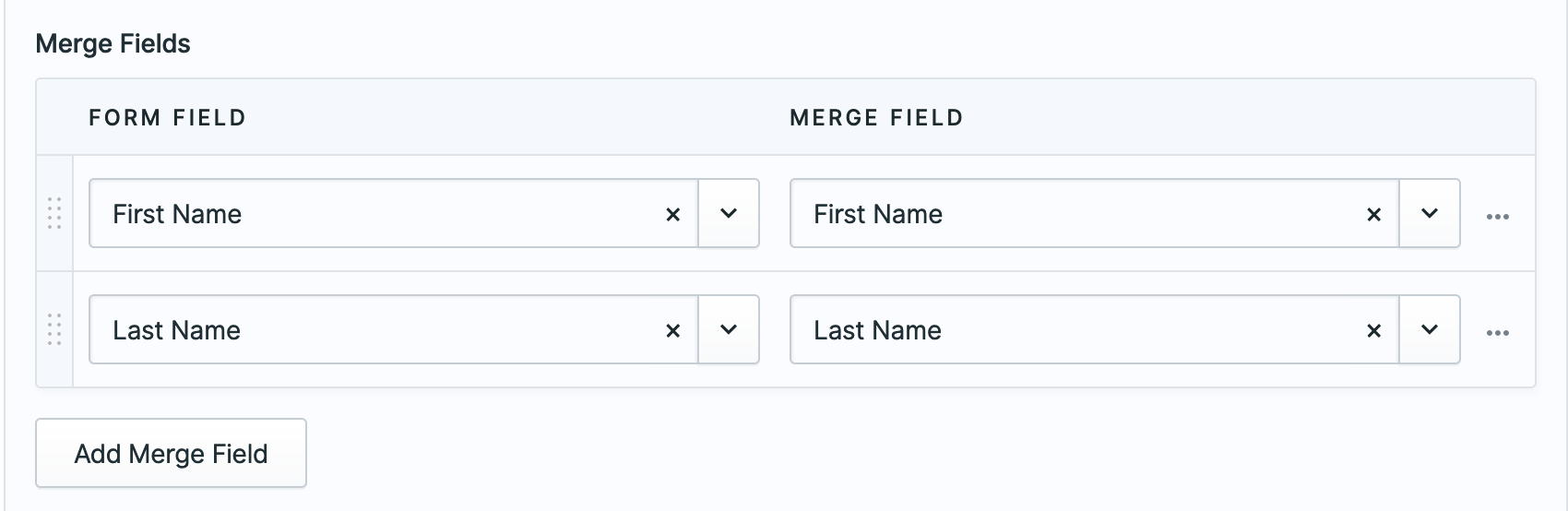
MAILCHIMP_API_KEY=your-key-here Configure Mailchimp in the Control Panel 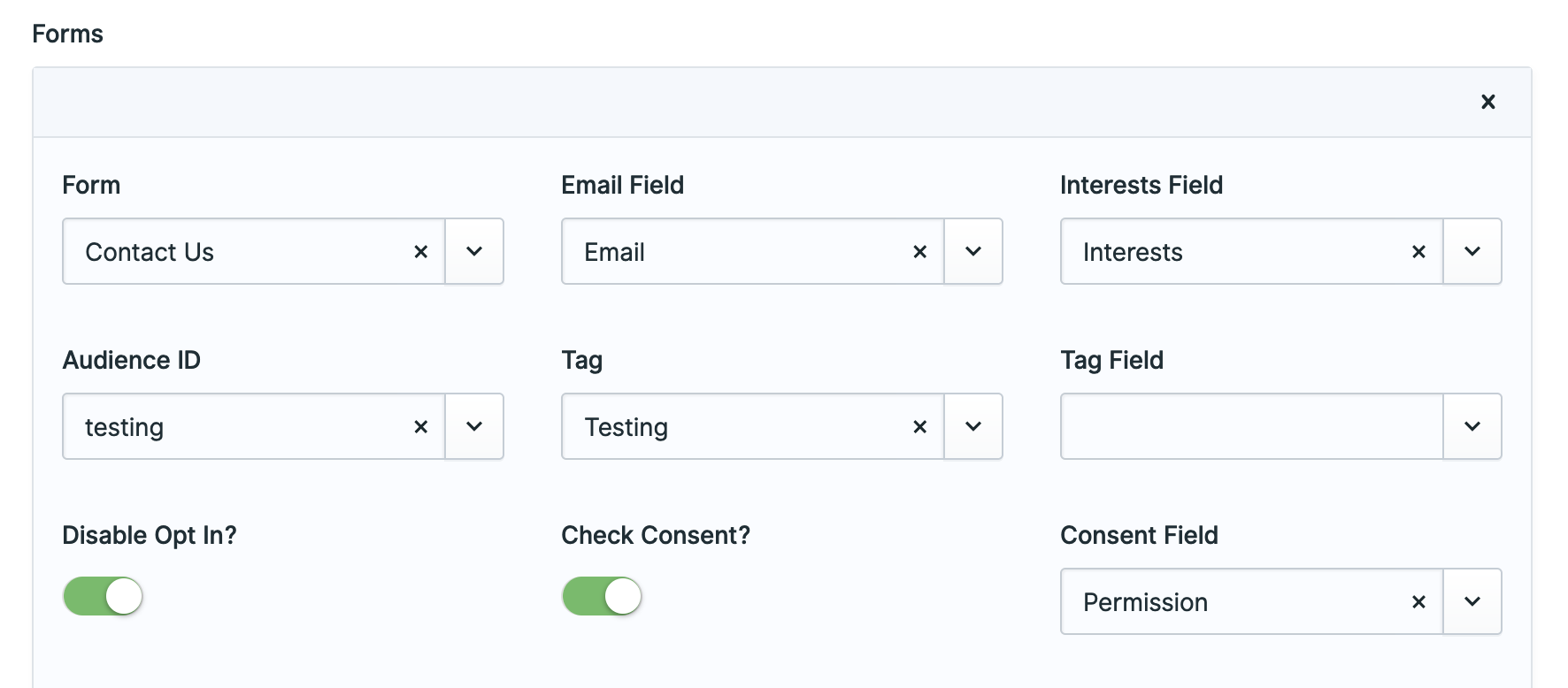
Usage
Create your Statamic forms as usual. When editing the form you'll see a "Mailchimp Integration" section where you can configure if and how that form integrates with your Mailchimp account.
Don't forget to add the consent field to your blueprint.
You can also manage if new users are added a list using the dedicated settings view in the control panel.
Interests
You will need to know the ids of the interests in order to add them to your form:
<div class="form-group"> <label>Interests</label> <input type="checkbox" name="interests[]" value="4e4b2bc6ae" class="form-control"/> <input type="checkbox" name="interests[]" value="3e1e51dbae" class="form-control"/> <input type="checkbox" name="interests[]" value="f79652f791" class="form-control"/> </div>
To get those IDs, first run php artisan mailchimp:groups your_form_handle to get the group ids. Then run php artisan mailchimp:interests your_form_handle the_group_id to get the list of interests and their ID. Use those ids in your template (example above).
The interests field in your form blueprint should end up looking something like this (assuming you use the default interests as your fields' handle:
- handle: interests field: options: e25a8f41d6: 'Interest group 1' cd1g2413a2: 'Interest group 2' 1b1a842842: 'Interest group 3' type: checkboxes
Marketing Permissions
To work with Mailchimp's Marketing Permissions you need to do a few things:
- Get your permissions and ids by running
php artisan mailchimp:permissions {form-handle}for each of the forms that are in Mailchimp. For example, mine look like:
❯ php please mailchimp:permissions contact_us +-------------------------------+------------+ | Marketing Permission | ID | +-------------------------------+------------+ | Email | 2d904xxxxx | | Customized Online Advertising | 3560exxxxx | +-------------------------------+------------+ - Add those Mailchimp's config
- Add the form field that will have those permissions
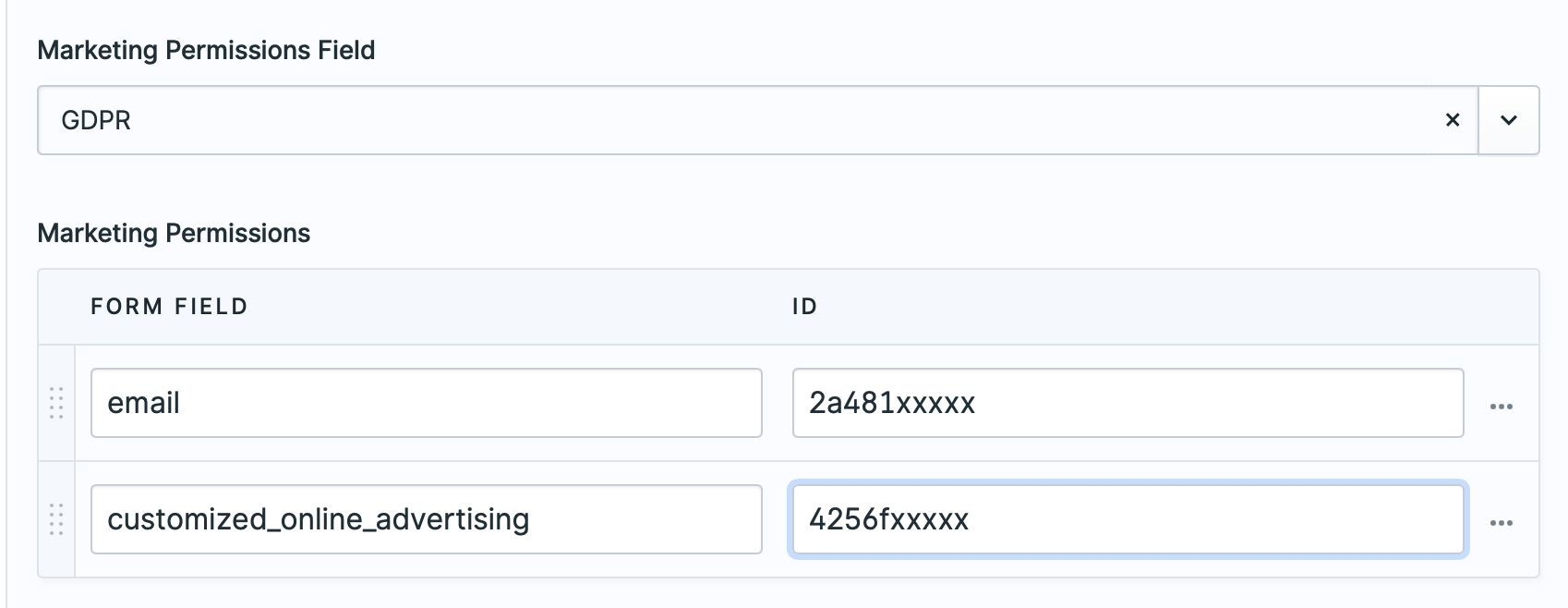 .
.
Then in your form, have fields like this:
<div class="form-group"> <label>GDPR</label> <label for=""email>Email</label> <input type="checkbox" name="gdpr[email]" value="true" class="form-control"/> <label for=""email>Online</label> <input type="checkbox" name="gdpr[customized_online_advertising]" value="true" class="form-control"/> </div> Don't forget to add the gdpr field to your form's blueprint.
Data storage
Any user related settings are stored by default in resources/mailchimp.yaml.
If you want to change this or use a different data store, you can bind \StatamicRadPack\Mailchimp\UserConfig::class in your app service provider. You should modify the getSavedSettings, save, and exists methods according to your requirements.
Testing
Run the tests with:
vendor/bin/phpunit
Changelog
Please see CHANGELOG for more information what has changed recently.
Contributing
Please see CONTRIBUTING for details.
Security
Please see SECURITY for details.
统计信息
- 总下载量: 14.24k
- 月度下载量: 0
- 日度下载量: 0
- 收藏数: 18
- 点击次数: 3
- 依赖项目数: 0
- 推荐数: 0
其他信息
- 授权协议: MIT
- 更新时间: 2026-01-04